Guide
Give your coding agent design specs on demand with MCP
Your agent can fetch a design spec the way it fetches docs. Connect Design Extractor's MCP server and the agent can extract any public site's DESIGN.md, wait for the run, read the file and build from it, all inside one task.
No copying files around and no browser tab: you name a site in the prompt, and the spec arrives in the agent's context.
Written for developers building agents and agent workflows. Updated .
What you'll get
- The MCP server connected to Claude Code, Codex, Cursor or claude.ai, signed in with your account or an API key.
- The tool flow an agent follows: check, extract, wait, read.
- Prompts that make the agent do the whole loop, from extraction to UI.
- What it costs and the limits to plan around.
What the agent gets
The server lives at https://www.design-extractor.com/api/mcp and speaks streamable HTTP. Through it an agent can start an extraction of a public site, wait for it, read the finished DESIGN.md, check the price and your balance, and list what you extracted before. Every run also appears in My extractions on the site, like any other.
The file is the same one the site produces: tokens for colors, typography, spacing, radii and components at the top, and the rules for using them below. It follows Google's DESIGN.md specification, so the agent can read it like any other spec.
Connect the server
Pick your client. Claude Code, Codex, claude.ai, Claude Desktop and ChatGPT sign in with your account; Cursor and scripts use an API key.
Add the server once. No key needed.
claude mcp add --transport http design-extractor https://www.design-extractor.com/api/mcpRun
/mcp, pick design-extractor and choose Authenticate. Sign in and approve on the page that opens.Ask for a site: “extract the design of stripe.com”.
Claude Code, Codex, claude.ai, Claude Desktop and ChatGPT sign in with your account. Cursor, n8n and scripts use a personal API key from the account page.
For Claude Code and Codex there is also a plugin. It bundles the server with an apply-designmd skill that walks the agent through extracting a reference site and applying its DESIGN.md to your codebase. After the install, run /mcp in Claude Code and authenticate the plugin's server.
/plugin marketplace add Magentix-Studio/design-extractor-plugin
/plugin install design-extractor@design-extractor
codex plugin marketplace add Magentix-Studio/design-extractor-plugin
codex plugin add design-extractor@design-extractorEvery client, the Agent SDK snippet and the key settings are on the MCP server docs page.
The tools and the order to call them
| Tool | What it does |
|---|---|
list_my_extractions | Your extractions, newest first. Call it first so a site you already have is not paid for twice. |
get_pricing | The current credit cost of an extraction. |
get_credits | Your remaining credit balance. |
extract_design | Starts an extraction of a public URL and spends the credits. Pass tier PRO to sample the site's key pages. Returns as soon as the run is queued. |
get_extraction | Takes the site's name or URL. Returns the status while the run works, then the full DESIGN.md text. A failed run says why. |
A run takes at least a minute, so the flow is start, then poll. The server tells the agent this itself; you only name the site.
1. list_my_extractions    is the site already there?
2. extract_design         url and tier PRO
3. wait about 60 seconds
4. get_extraction         site name, every 25 seconds until COMPLETED
5. save the DESIGN.md text and build from it
Worked example: Supabase
Say the agent is asked to build in the style of supabase.com. When get_extraction reports the run as complete, it returns the whole DESIGN.md as text. The Supabase DESIGN.md in the gallery comes from the same kind of Pro run, so it shows what lands in the agent's context. It starts like this:
---
name: Supabase
colors:
  primary: "#0E7E4E"
  primary-fill: "#007243"
  primary-deep: "#15593B"
  focus-ring: "#30BA79"
  brand: "#3FCF8E"
  brand-tint: "#A9F1CA"
typography:
  hero-display:
    fontFamily: Manrope
    fontSize: 46px
    fontWeight: 500
    lineHeight: 1
    letterSpacing: normal
  body:
    fontFamily: Inter
    fontSize: 16px
    fontWeight: 450
    lineHeight: 1.5
    letterSpacing: normal
rounded:
  xs: 2.66667px
  sm: 4px
  md: 5.33333px
---
Extracted from Supabase's public website, not official brand guidelines. Read the full Supabase DESIGN.md
Below the tokens come the sections the agent reads for rules and recipes: Overview, Colors, Typography, Layout, Elevation & Depth, Shapes, Components, Do's and Don'ts, Responsive Behavior, Iteration Guide, Known Gaps. The Components section alone holds 49 recipes in HTML and CSS, so the agent rebuilds a button or a card from measured values instead of guessing them.
Prompts
Name the tools, the site and what happens with the file. These prompts were written for this guide; change the site and the task.
Extract and build in one task
Use the design-extractor tools to get a Pro DESIGN.md of supabase.com.
Check list_my_extractions first, so we don't pay twice for a recent run.
When it is complete, save it as DESIGN.md in the repo root.
Then restyle src/app/settings with its color, typography and rounded tokens
and its component recipes. Keep the layout and logic as they are.
Compare before you choose
Get Pro DESIGN.md files for supabase.com and linear.app with the design-extractor tools.
Compare their primary colors, fonts and radii in a short table,
and tell me which one fits a dense admin dashboard better and why.
Building your own agent? Pass the server in the Agent SDK's mcpServers option with an API key and allow mcp__design-extractor__*; the MCP docs have the full snippet.
Credits and limits
- Same credits as the site. A Pro extraction costs 10 credits, whether you start it on the site or your agent starts it. Top up on Pricing.
- No double charge for your own recent runs. Asking for a site you extracted recently reuses that extraction.
- Public pages only. Pages behind a login, on localhost or on a private network are not supported.
- Keys. Up to five active API keys, each valid for one year and revocable on your account page. A signed-in client renews its own token; disconnect it on the same page.
Files used in this guide
Want to see full files before you connect? These gallery pages have the complete DESIGN.md your agent would receive for a run on each site.
 Developer & Infrastructure · Developer Tools & IDEs
Supabase
Supabase uses a dark-first design system anchored by a deep near-black background (oklch ~0.19) with a vivid green brand accent (#3ecf8e / #3fcf8e). The layout is structured around a responsive feature card grid, with Manrope for display headings and Inter for body/UI text. Source Code Pro handles all monospace/code contexts. The color system is built on oklch custom properties with semantic naming. Cards use 12px radius with subtle border treatment, buttons use 6–8px radius, and the overall density is moderate with an 8px base spacing grid.
 AI & Machine Learning · AI Products & Assistants
Anthropic
Anthropic's design system is a restrained, typographically-led identity built around two custom typefaces — Anthropic Serif and Anthropic Sans — set against a warm ivory background (#faf9f5). The palette is deliberately minimal: near-black (#141413) on warm off-white, with muted stone tones for secondary text and borders. Large-scale serif display type anchors the editorial voice, while a dark-panel section (near-black background with ivory text) creates dramatic contrast. The overall aesthetic communicates intellectual seriousness and safety-first mission through generous whitespace, high typographic contrast, and zero decorative ornamentation.
 Developer & Infrastructure · Developer Tools & IDEs
Railway
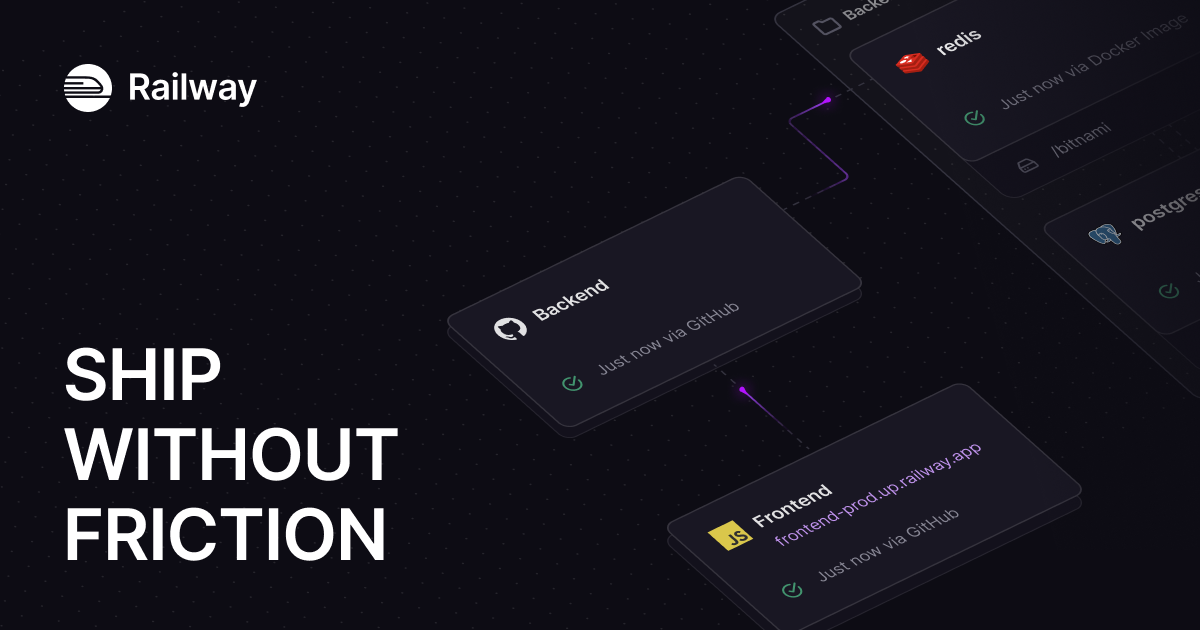
Railway's design system is a dark-first developer platform UI anchored in deep near-black navy surfaces (#13111c, #0b0b0f), high-contrast off-white text (#f7f7f8), and a distinctive purple brand accent (#853bce / #553f83). The hero uses IBM Plex Serif for editorial weight, while Inter handles all UI copy and JetBrains Mono / SF Mono serve code contexts. Elevation is achieved through inset white-glow borders (rgba(255,255,255,0.2) 1.5px inset) rather than drop shadows, giving the UI a glass-panel aesthetic. The spacing system is 4px-based with a strong 8/12/16/24/32 rhythm. Border radii are tight (4px dominant) with selective 8px and 16px for cards and hero containers.
FAQ
Design specs for coding agents over MCP: questions
Short answers to what people ask before they try this.
Yes. It uses the same account and the same prepaid credits: a Pro extraction costs 10 credits. The agent can call get_pricing for the current cost and get_credits for your balance; when the balance is short, extract_design refuses and says so.
Not for clients that sign in: claude.ai, Claude Desktop, ChatGPT, Claude Code and Codex open a consent page once and keep a token that renews itself. Cursor, n8n, scripts and the Agent SDK use a personal API key from your account page.
At least a minute. extract_design returns right away; the agent waits about a minute, then calls get_extraction with the site every 25 seconds until the DESIGN.md is ready.
Not for a site you extracted recently: asking again reuses your extraction and the reply says no credits were charged. A site that only other people extracted still costs the normal price. list_my_extractions shows what you already have.
No. The server captures the page from its URL, so pages behind a login, on localhost or on a private network are not supported. Deploy a public preview, or extract the live site.
Want to see a DESIGN.md before you connect?
Run one extraction on the site. Your agent gets the same file through the server.
Related guides
Make Claude Code and Cursor build UI that matches a website
Extract a site you like, drop its DESIGN.md into your repo and point your agent to it, with the exact prompts for Claude Code and Cursor.
No designer? Borrow a proven design system for your app
How to pick a reference site, what to keep from its DESIGN.md and what to change so the result is yours and not a copy.
Rebuilding your site? Extract its design system first
Capture your current site as a DESIGN.md before a rebuild, rebrand or framework move, and know what to check by hand.
Blend two reference sites into one design for a prototype
Compare two extracted DESIGN.md files token by token and merge them into one spec for a prototype, by hand or with your agent.