100% match
ghost · desktop
At rest100% match34 measurements match
Focus100% match18 measurements match
Extraction confidence
ghost · desktop
At rest100% match34 measurements match
Focus100% match18 measurements match
primary · desktop
At rest99% match44 measurements match
Hover99% match18 measurements match
Focus98% match18 measurements match
primary · desktop
At rest100% match43 measurements match
Hover99% match18 measurements match
Focus100% match18 measurements match
secondary · desktop
Root height is 69px, the site has 46px; Group height is 45px, the site has 22px and 1 more.
At rest97% match3 of 44 measurements differ
Hover96% match18 measurements match
Focus96% match18 measurements match
desktop
At rest100% match235 measurements match
desktop
At rest100% match65 measurements match
desktop
At rest100% match475 measurements match
Hovernot checked
Focusnot checked
Focus on cta 299% match18 measurements match
Hover on cta 2100% match18 measurements match
Focus on cta 399% match18 measurements match
Hover on cta 3100% match18 measurements match
Focus on cta100% match18 measurements match
Focus on link99% match18 measurements match
Focus on logo100% match18 measurements match
Focus on menu toggle100% match18 measurements match
Focus on nav link99% match18 measurements match
mobile
No recipe was made: the element was not visible.
Nothing was compared for this component.
desktop
Columns height is 806px, the site has 959px; Column height is 806px, the site has 856px and 15 more.
At rest100% match17 of 1273 measurements differ
Hovernot checked
Focusnot checked
Focus on link 2100% match18 measurements match
Hover on link 2100% match18 measurements match
Focus on link100% match18 measurements match
mobile
Columns height is 1424px, the site has 3095px; Column height is 112px, the site has 118px and 115 more.
At rest100% match117 of 1735 measurements differ
Hovernot checked
Focusnot checked
Focus on link 2100% match18 measurements match
Hover on link 2100% match18 measurements match
Focus on link100% match18 measurements match
Figma
Figma's marketing site is a high-contrast monochrome canvas. Ink is pure black, surfaces are pure white, and the chrome carries no brand hue at all, so the saturated hero collage (coral grain gradients, deep indigo, lime dots, a lavender toolbar) supplies every bit of color on the page. The restraint is the point. The interface frames the product the way a canvas frames artwork.
Density is low and editorial. Sections breathe on a repeated 80px vertical rhythm. Copy is set in the custom variable Figma Sans at unusually light weights (320 and 330) for body and navigation. Headings stay at regular 400 and get their authority from size and tight negative tracking rather than from boldness. Figma Mono appears only as a small, widely tracked label voice, such as footer column headings and tiny badges.
Hierarchy comes from scale, black fills and inversion, not from color or shadow. The primary action is a solid black block. The secondary action is a transparent button drawn with a 1px inset ring at 16% black. The footer flips the whole scheme to white-on-black. Focus is a 2px dashed outline in the current ink color, set 4px off the element.
Key Characteristics:
primary/ink #000000 on surface #FFFFFF, inverting to surface-inverse #000000 with on-dark #FFFFFF in the footer.#00000029 0px 0px 0px 1px inset) rather than CSS borders or soft drop shadows.button-primary, 16px on button-primary-2). Generous 24px (rounded.xl) and pill (rounded.full) shapes live in the media and the chips.#000000D9. Outlined buttons deepen their ring to #00000066.The palette is two values used with discipline. Every functional role resolves to black or white, and translucency of those two creates the secondary tones.
primary, #000000): fill for primary CTAs (button-primary, button-primary-2, header-cta-3). Black is also the brand's interactive color. There is no blue link color.on-primary, #FFFFFF): label color on black buttons.focus-ring, #000000): the 2px dashed focus outline on light surfaces. On the dark footer the same outline is drawn in white.surface, #FFFFFF): page background and the fixed header background.surface-inverse, #000000): the footer background, a full inversion of the page.ink, #000000): all body, heading and navigation text on the light canvas.on-dark, #FFFFFF): footer text and the navigation-2 text.These are alpha variants of black and white read off component parts and states. They are not standalone tokens, so reproduce them as translucent ink rather than as new grays.
#000000D9 is the hover fill of button-primary, button-primary-2 and header-cta-3.#00000029 (16% black) is the inset ring of button-secondary and the bottom divider of header-group.#00000066 is the hover ring of button-secondary and header-cta-2.#FFFFFF3D is the fill of the 36px social icon buttons (footer-link).#FFFFFF29 is the footer top border and the fill of the footer-group-2 badges.#FFFFFF99 is the mono column headings (footer-column-heading-2).The UI system uses no gradients. The grainy coral and indigo gradients visible in the hero belong to product imagery and illustration, not to buttons, surfaces or text.
The captured dark-theme values keep the same two-ink logic with the roles swapped. #FFFFFF becomes the dominant text color and #000000 the dominant surface, and interactive fills follow that flip. Because the whole palette is black, white and their alpha tints, theming here is a straight inversion of the two inks rather than a separate dark palette.
The dark values below were measured with the dark color scheme forced on the page; the light values are the page's normal render.
| Role | Light | Dark |
|---|---|---|
| Text | primary | #FFFFFF |
figmaSans, fallback stack "SF Pro Display", system-ui, helvetica, sans-serif): the custom variable sans used for everything, including display, headings, body, navigation and buttons. Its variable weight axis is what allows the in-between 320 and 330 weights.figmaMono, fallback "SF Mono", menlo, monospace): reserved for eyebrow and section labels and tiny badges. It is always set at 400 with positive tracking.| Token | Size | Weight | Line Height | Letter Spacing | Use |
|---|---|---|---|---|---|
hero-display | 88px | 400 | 1 | -1.25px | Oversized hero statement |
display-lg | 56px | 400 | 1 | -1.25px | Page h1 |
display-md | 44px | 400 | 1.1 | -0.66px | Section h2 |
title-lg | 30px | 400 | 1.2 | -0.66px | Sub-section titles; label of the large button-primary-2 |
body-lg | 18px | 330 | 1.4 | -0.14px | Dominant text style: nav items, list links, header CTAs, footer headings |
body | 16px | 400 | 1.45 | -0.14px | Standard running copy, quotes, captions |
body-light | 16px | 320 | 1.45 | -0.12px | Light secondary copy and footer link text |
title-sm | 16px | 400 | 1.4 | normal | Small card/feature headings (h3) |
nav-link | 16px | 400 | 1.15 | normal | Compact nav/button labels |
button | 14px | 400 | 1.15 | normal | Small button labels |
caption | 14px | 400 | 1.45 | normal | Fine print, small paragraphs |
eyebrow-mono | 16px | 400 | 1.3 | 0.48px | Mono section eyebrows, footer column headings |
label-mono | 12px | 400 | 1 | 0.6px | Tiny mono badges (footer-text-3) |
body-lg at 330. Do not "fix" body copy to 400 across the board, because the lightness is intentional.nav-link, button, caption, title-sm) sit at normal.eyebrow-mono uses 0.48px and label-mono uses 0.6px. Mono never appears at body length.Figma Sans and Figma Mono are proprietary.
No base step was extracted. Spacing is expressed as measured component and section tokens:
| Token | Value | Measured on |
|---|---|---|
section-padding-y | 80px | Vertical padding repeated on the page's sections (16 section edges), measured on the page rather than on a component |
header-gap | 8px | Gap between items in header-nav-2 (right-hand header actions) |
button-primary-padding-y | 12px | Vertical padding of button-primary |
button-primary-padding-x | 22px | Horizontal padding of button-primary |
button-primary-2-padding-y | 24px | Vertical padding of the large button-primary-2 |
button-primary-2-padding-x | 32px | Horizontal padding of button-primary-2 |
button-ghost-padding-y | 8px | Vertical padding of button-ghost (header nav triggers) |
button-ghost-padding-x | 8px | Horizontal padding of button-ghost |
section-padding-y (80px) is the vertical rhythm between the page's sections. Every major band starts and ends on it.
No container max-width or grid-gap token was verified.
On desktop the screenshots show:
header-gap (8px).Whitespace does the separating work that borders and backgrounds do elsewhere. Sections are divided by the consistent section-padding-y (80px) and nothing else, with no alternating section fills on the light page. Control padding is generous for a marketing site: button-primary-2 uses button-primary-2-padding-y (24px) and button-primary-2-padding-x (32px), which turns a CTA into a block-like statement. Nav triggers stay tight at button-ghost-padding-x (8px) so the header reads as one quiet row.
Every spacing token restates a measurement of a verified component recipe, or the step those measurements share. section-padding-y is measured directly on the page sections and feeds no step.
section-padding-y: 80px (vertical padding repeated on the page sections: 16 section edges on 1 page)header-gap: 8px (header, gap of header-nav-2)button-primary-padding-y: 12px (button-primary, vertical padding of the root)button-primary-padding-x: 22px (button-primary, horizontal padding of the root)button-primary-2-padding-y: 24px (button-primary-2, vertical padding of the root)button-primary-2-padding-x: 32px (button-primary-2, horizontal padding of the root)button-ghost-padding-y: 8px (button-ghost, vertical padding of the root)button-ghost-padding-x: 8px (button-ghost, horizontal padding of the root)| Level | Treatment | Use |
|---|---|---|
| 0 — Flat surface | No shadow; solid surface #FFFFFF or surface-inverse #000000 | Page canvas, footer, primary black buttons (button-primary, button-primary-2) |
| 1 — Header divider | #00000029 0px 1px 0px 0px | Bottom edge of the fixed header (header-group) |
| 2 — Hairline ring | #00000029 0px 0px 0px 1px inset | Outline of button-secondary / header-cta-2 |
| 2h — Hairline ring, hover | #00000066 0px 0px 0px 1px inset | Hover state of button-secondary / header-cta-2 |
| Dark divider | 1px solid #FFFFFF29 top border | Top edge of footer and footer-mobile |
| Focus | 2px dashed outline, 4px offset, #000000 on light / #FFFFFF on dark | All interactive parts: buttons, nav links, logo, footer links |
| Blur | None measured | No backdrop-filter on header or any component |
Shadow philosophy. Figma uses box-shadow as a drawing tool, not a lighting tool. Every measured shadow has zero blur and zero spread beyond 1px. Each is either a 1px inset ring that outlines a control or a 1px offset line that underlines the header, always in 16% black (#00000029). Interaction raises the ring's opacity to 40% (#00000066) instead of adding lift.
Depth beyond that comes from the imagery. The hero's overlapping colored panels and floating toolbar layer like cards inside the illustration, while the UI chrome stays on one plane. When building new components:
| Token | Value | Use |
|---|---|---|
rounded.xs | 2px | Small detail elements (frequent on the page, exact targets not captured) |
rounded.sm | 4px | Tiny mono badges in the footer (footer-group-2) |
rounded.md | 8px | Standard buttons: button-primary, button-secondary, header CTAs |
rounded.lg | 16px | The oversized button-primary-2 CTA |
rounded.xl | 24px | Cards and media containers |
rounded.full | 9999px | Pills and circles: chips, slider thumbs, toolbar elements, the 36px round social buttons |
The geometry is soft-rectangular with a clear size-to-radius relationship:
button-primary-2 takes 16px, so the radius scales with the control.rounded.full is used heavily (it is the joint most frequent radius), but on chips, toggles and icon buttons rather than on the main CTAs. The measured CTAs are rounded rectangles, not pills.Each component below was distilled from the live page: the recipe is a standalone, placeholder-filled reproduction with literal values, and every frontmatter key named in the anatomy carries the same measurements. A verified component reproduced the original in every check; a flagged one is shipped with the reason it did not; one marked not verifiable could not be compared with the original, which says nothing about the recipe.
Verification: verified against the live page at desktop.
Anatomy
button-primary: the component root, a <a> (.c-button-primary)button-primary-group: inner group (.c-button-primary__group)button-primary-label: label text, 20 characters (.c-button-primary__label)Recipe
<div class="c-button-primary-scope">
  <a class="c-button-primary" href="#">
    <span class="c-button-primary__group">
      <span class="c-button-primary__label">lorem ipsum dolor si</span>
    </span>
  </a>
</div>
.c-button-primary-scope {
  background-color: #FFFFFF;
  color: #000000;
  font-family: figmaSans, "figmaSans Fallback", "SF Pro Display", system-ui, helvetica, sans-serif;
  font-size: 18px;
  font-weight: 330;
  line-height: 25.2px;
}

.c-button-primary {
  display: block;
  justify-content: center;
  border-spacing: 0px;
  box-sizing: border-box;
  padding: 12px 22px;
  background-color: #000000;
  color: #FFFFFF;
  border-radius: 8px;
  cursor: pointer;
  font-family: figmaSans, "figmaSans Fallback", "SF Pro Display", system-ui, helvetica, sans-serif;
  font-size: 18px;
  font-weight: 330;
  line-height: 25.2px;
  letter-spacing: -0.14px;
  text-decoration-line: none;
  list-style-type: none;
  transition-duration: 0.18s, 0.18s;
  transition-timing-function: ease-out, ease-out;
  transition-property: background, box-shadow;
}

.c-button-primary__group {
  display: block;
  box-sizing: border-box;
  position: relative;
  font-size: 0px;
  line-height: 0px;
}

.c-button-primary__label {
  display: inline-block;
  box-sizing: border-box;
  font-size: 16px;
  font-weight: 400;
  line-height: 22.4px;
  text-align: center;
  transition: translate 0.18s ease-out;
  padding-right: 4px;
  padding-left: 4px;
}

.c-button-primary:hover {
  background-color: #000000D9;
}

.c-button-primary:focus {
  outline: 2px dashed #000000;
  outline-offset: 4px;
}
States
button-primary-hover): background-color #000000D9Verification: verified against the live page at desktop.
Anatomy
button-primary-2: the component root, a <a> (.c-button-primary-2)button-primary-2-group: inner group (.c-button-primary-2__group)button-primary-2-label: label text, 11 characters (.c-button-primary-2__label)Recipe
<div class="c-button-primary-2-scope">
  <a class="c-button-primary-2" href="#">
    <span class="c-button-primary-2__group">
      <span class="c-button-primary-2__label">lorem ipsum</span>
    </span>
  </a>
</div>
.c-button-primary-2-scope {
  background-color: #FFFFFF;
  color: #000000;
  font-family: figmaSans, "figmaSans Fallback", "SF Pro Display", system-ui, helvetica, sans-serif;
  font-size: 16px;
  font-weight: 400;
  line-height: 23.2px;
}

.c-button-primary-2 {
  display: inline-flex;
  justify-content: center;
  border-spacing: 0px;
  box-sizing: border-box;
  padding: 24px 32px;
  background-color: #000000;
  color: #FFFFFF;
  border-radius: 16px;
  cursor: pointer;
  font-family: figmaSans, "figmaSans Fallback", "SF Pro Display", system-ui, helvetica, sans-serif;
  font-size: 16px;
  font-weight: 400;
  line-height: 23.2px;
  text-decoration-line: none;
  transition-duration: 0.18s, 0.18s;
  transition-timing-function: ease-out, ease-out;
  transition-property: background, box-shadow;
}

.c-button-primary-2__group {
  display: block;
  box-sizing: border-box;
  position: relative;
  font-size: 0px;
  line-height: 0px;
}

.c-button-primary-2__label {
  display: inline-block;
  box-sizing: border-box;
  font-size: 30px;
  line-height: 36px;
  letter-spacing: -0.66px;
  text-align: center;
  transition: translate 0.18s ease-out;
  padding-right: 8px;
  padding-left: 8px;
}

.c-button-primary-2:hover {
  background-color: #000000D9;
}

.c-button-primary-2:focus {
  outline: 2px dashed #000000;
  outline-offset: 4px;
}
States
button-primary-2-hover): background-color #000000D9Verification: flagged, the button-secondary height did not reproduce the measured 46px after 2 correction attempts.
Anatomy
button-secondary: the component root, a <a> (.c-button-secondary)button-secondary-group: inner group (.c-button-secondary__group)button-secondary-label: label text, 13 characters (.c-button-secondary__label)Recipe
<div class="c-button-secondary-scope">
  <a class="c-button-secondary" href="#">
    <span class="c-button-secondary__group">
      <span class="c-button-secondary__label">lorem ipsum d</span>
    </span>
  </a>
</div>
.c-button-secondary-scope {
  background-color: #FFFFFF;
  color: #000000;
  font-family: figmaSans, "figmaSans Fallback", "SF Pro Display", system-ui, helvetica, sans-serif;
  font-size: 18px;
  font-weight: 330;
  line-height: 25.2px;
}

.c-button-secondary {
  display: block;
  justify-content: center;
  border-spacing: 0px;
  box-sizing: border-box;
  padding: 12px 22px;
  background-color: transparent;
  color: #000000;
  border-radius: 8px;
  box-shadow: #00000029 0px 0px 0px 1px inset;
  cursor: pointer;
  font-family: figmaSans, "figmaSans Fallback", "SF Pro Display", system-ui, helvetica, sans-serif;
  font-size: 16px;
  font-weight: 400;
  line-height: 23.2px;
  text-decoration-line: none;
  list-style-type: none;
  transition-duration: 0.18s, 0.18s;
  transition-timing-function: ease-out, ease-out;
  transition-property: background, box-shadow;
}

.c-button-secondary__group {
  display: block;
  box-sizing: border-box;
  position: relative;
  font-size: 0px;
  line-height: 0px;
}

.c-button-secondary__label {
  display: inline-block;
  box-sizing: border-box;
  font-size: 16px;
  line-height: 22.4px;
  text-align: center;
  transition: translate 0.18s ease-out;
  padding-right: 4px;
  padding-left: 4px;
}

.c-button-secondary:hover {
  box-shadow: #00000066 0px 0px 0px 1px inset;
}

.c-button-secondary:focus {
  outline: 2px dashed #000000;
  outline-offset: 4px;
}
States
Verification: verified against the live page at desktop.
Anatomy
button-ghost: the component root, a <button> (.c-button-ghost)button-ghost-label: label text, 8 characters (.c-button-ghost__label)button-ghost-icon: icon placeholder, 18px (.c-button-ghost__icon)Recipe
<div class="c-button-ghost-scope">
  <button class="c-button-ghost" type="button">
    <span class="c-button-ghost__label">lorem ip</span>
    <span class="c-button-ghost__icon" aria-hidden="true"></span>
  </button>
</div>
.c-button-ghost-scope {
  background-color: #FFFFFF;
  color: #000000;
  font-family: figmaSans, "figmaSans Fallback", "SF Pro Display", system-ui, helvetica, sans-serif;
  font-size: 18px;
  font-weight: 330;
  line-height: 25.2px;
}

.c-button-ghost {
  display: inline-flex;
  align-items: center;
  border-spacing: 0px;
  box-sizing: border-box;
  padding: 8px;
  background-color: transparent;
  color: #000000;
  border: 0;
  cursor: pointer;
  font-family: figmaSans, "figmaSans Fallback", "SF Pro Display", system-ui, helvetica, sans-serif;
  font-size: 18px;
  font-weight: 330;
  line-height: 25.2px;
  letter-spacing: -0.14px;
  text-transform: none;
  text-align: start;
  list-style-type: none;
}

.c-button-ghost::after {
  content: "";
  display: block;
  box-sizing: border-box;
  opacity: 0;
  transform: matrix(1, 0, 0, 0, 0, 3);
  transition-duration: 0.25s, 0.25s;
  transition-timing-function: ease, ease;
  transition-property: transform, opacity;
}

.c-button-ghost__label {
  display: block;
  box-sizing: border-box;
  position: relative;
  font-size: 16px;
  font-weight: 400;
  line-height: 23.2px;
}

.c-button-ghost__label::after {
  content: "";
  display: block;
  box-sizing: border-box;
  width: 65px;
  height: 1px;
  position: absolute;
  top: 22.1875px;
  right: 0px;
  bottom: 0px;
  left: 0px;
  background-color: #000000;
  opacity: 0;
  transform: matrix(1, 0, 0, 0, 0, 3);
  transition-duration: 0.25s, 0.25s;
  transition-timing-function: ease, ease;
  transition-property: transform, opacity;
}

.c-button-ghost__icon {
  display: block;
  flex-shrink: 0;
  box-sizing: border-box;
  width: 18px;
  height: 18px;
  max-width: 100%;
  overflow-x: hidden;
  overflow-y: hidden;
  background-color: currentcolor;
  transform: matrix(1, 0, 0, 1, 0, 0);
  transition: transform 0.25s ease;
  margin-left: 2px;
}

.c-button-ghost:focus {
  outline: 2px dashed #000000;
  outline-offset: 4px;
}
States
Verification: verified against the live page at desktop.
Anatomy
navigation: the component root, a <nav> (.c-navigation)navigation-list: inner flex row (.c-navigation__list)navigation-group: inner flex column (.c-navigation__group, 4 instances)navigation-button: button (.c-navigation__button, 4 instances), content not capturednavigation-link: link (.c-navigation__link)navigation-text: label text, 7 characters (.c-navigation__text)Recipe
<div class="c-navigation-scope">
  <nav class="c-navigation">
    <ul class="c-navigation__list">
      <div class="c-navigation__group">
        <button class="c-navigation__button" type="button"></button>
      </div>
      <div class="c-navigation__group">
        <button class="c-navigation__button" type="button"></button>
      </div>
      <div class="c-navigation__group">
        <button class="c-navigation__button" type="button"></button>
      </div>
      <div class="c-navigation__group">
        <button class="c-navigation__button" type="button"></button>
      </div>
      <a class="c-navigation__link" href="#">
        <span class="c-navigation__text">lorem i</span>
      </a>
    </ul>
  </nav>
</div>
.c-navigation-scope {
  background-color: #FFFFFF;
  color: #000000;
  font-family: figmaSans, "figmaSans Fallback", "SF Pro Display", system-ui, helvetica, sans-serif;
  font-size: 16px;
  font-weight: 400;
  line-height: 23.2px;
}

.c-navigation {
  display: inline-block;
  border-spacing: 0px;
  box-sizing: border-box;
  color: #000000;
  cursor: default;
  font-family: figmaSans, "figmaSans Fallback", "SF Pro Display", system-ui, helvetica, sans-serif;
  font-size: 16px;
  font-weight: 400;
  line-height: 23.2px;
  letter-spacing: -0.14px;
}

.c-navigation__list {
  display: flex;
  align-items: center;
  box-sizing: border-box;
  padding: 0px;
  margin: 0px;
  font-size: 18px;
  font-weight: 330;
  line-height: 25.2px;
  list-style-type: none;
}

.c-navigation__group {
  display: flex;
  flex-direction: column;
  align-items: center;
  box-sizing: border-box;
}

.c-navigation__button {
  display: flex;
  align-items: center;
  box-sizing: border-box;
  padding: 8px;
  background-color: transparent;
  color: #000000;
  border: 0;
  cursor: pointer;
  font-family: figmaSans, "figmaSans Fallback", "SF Pro Display", system-ui, helvetica, sans-serif;
  font-size: 18px;
  font-weight: 330;
  line-height: 25.2px;
  letter-spacing: -0.14px;
  text-transform: none;
  text-align: start;
}

.c-navigation__button::after {
  content: "";
  display: block;
  box-sizing: border-box;
  opacity: 0;
  transform: matrix(1, 0, 0, 0, 0, 3);
  transition-duration: 0.25s, 0.25s;
  transition-timing-function: ease, ease;
  transition-property: transform, opacity;
}

.c-navigation__link {
  display: block;
  box-sizing: border-box;
  padding: 8px;
  color: #000000;
  cursor: pointer;
  font-size: 16px;
  font-weight: 400;
  line-height: 23.2px;
  text-decoration-line: none;
}

.c-navigation__text {
  display: inline-block;
  box-sizing: border-box;
  position: relative;
}

.c-navigation__text::after {
  content: "";
  display: block;
  box-sizing: border-box;
  width: 51px;
  height: 1px;
  position: absolute;
  top: 22.1875px;
  right: 0px;
  bottom: 0px;
  left: 0px;
  background-color: #000000;
  opacity: 0;
  transform: matrix(1, 0, 0, 0, 0, 3);
  transition-duration: 0.25s, 0.25s;
  transition-timing-function: ease, ease;
  transition-property: transform, opacity;
}
States
Verification: verified against the live page at desktop.
Anatomy
navigation-2: the component root, a <nav> (.c-navigation-2)navigation-2-button: button (.c-navigation-2__button)navigation-2-icon: icon placeholder, 22px (.c-navigation-2__icon)navigation-2-text: label text, 7 characters (.c-navigation-2__text)navigation-2-icon-2: icon placeholder, 20px (.c-navigation-2__icon-2)Recipe
<div class="c-navigation-2-scope">
  <nav class="c-navigation-2">
    <button class="c-navigation-2__button" type="button">
      <span class="c-navigation-2__icon" aria-hidden="true"></span>
      <span class="c-navigation-2__text">lorem i</span>
      <span class="c-navigation-2__icon-2" aria-hidden="true"></span>
    </button>
  </nav>
</div>
.c-navigation-2-scope {
  background-color: #000000;
  color: #FFFFFF;
  font-family: figmaSans, "figmaSans Fallback", "SF Pro Display", system-ui, helvetica, sans-serif;
  font-size: 16px;
  font-weight: 400;
  line-height: 23.2px;
}

.c-navigation-2 {
  display: inline-block;
  border-spacing: 0px;
  box-sizing: border-box;
  position: relative;
  color: #FFFFFF;
  cursor: default;
  font-family: figmaSans, "figmaSans Fallback", "SF Pro Display", system-ui, helvetica, sans-serif;
  font-size: 16px;
  font-weight: 400;
  line-height: 23.2px;
}

.c-navigation-2__button {
  display: flex;
  align-items: center;
  gap: 4px;
  box-sizing: border-box;
  padding: 8px;
  background-color: transparent;
  color: #FFFFFF;
  border: 0;
  cursor: pointer;
  font-family: figmaSans, "figmaSans Fallback", "SF Pro Display", system-ui, helvetica, sans-serif;
  font-size: 16px;
  font-weight: 400;
  line-height: 23.2px;
  letter-spacing: normal;
  text-transform: none;
  text-align: start;
}

.c-navigation-2__icon {
  display: block;
  flex-shrink: 0;
  box-sizing: border-box;
  width: 22px;
  height: 22px;
  max-width: 100%;
  overflow-x: hidden;
  overflow-y: hidden;
  background-color: currentcolor;
}

.c-navigation-2__icon-2 {
  display: block;
  flex-shrink: 0;
  box-sizing: border-box;
  width: 20px;
  height: 20px;
  max-width: 100%;
  overflow-x: hidden;
  overflow-y: hidden;
  background-color: currentcolor;
  transition: transform 0.25s ease;
}
States
Verification: verified against the live page at desktop.
Anatomy
header: the component root, a <header> (.c-header)header-group: inner block (.c-header__group)header-group-2: inner flex row (.c-header__group-2)header-group-3: inner flex row (.c-header__group-3)header-logo: link (.c-header__logo)header-logo-icon: icon placeholder, 19x28px (.c-header__logo-icon)header-nav: inner flex row (.c-header__nav)header-group-4: inner flex column (.c-header__group-4, 4 instances)header-cta: the button-ghost button (.c-header__cta, 3 instances), content not capturedheader-menu-toggle: button (.c-header__menu-toggle), content not capturedheader-nav-link: link (.c-header__nav-link)header-text: label text, 7 characters (.c-header__text)header-nav-2: inner flex row (.c-header__nav-2)header-item: inner group (.c-header__item)header-link: link (.c-header__link)header-text-2: label text, 6 characters (.c-header__text-2)header-cta-2: the button-secondary button (.c-header__cta-2)header-group-5: inner group (.c-header__group-5, 2 instances)header-text-3: label text, 13 characters (.c-header__text-3)header-cta-3: the button-primary button (.c-header__cta-3)header-text-4: label text, 20 characters (.c-header__text-4)Recipe
<div class="c-header-scope">
  <header class="c-header">
    <div class="c-header__group">
      <div class="c-header__group-2">
        <div class="c-header__group-3">
          <a class="c-header__logo" href="#">
            <span class="c-header__logo-icon" aria-hidden="true"></span>
          </a>
          <ul class="c-header__nav">
            <div class="c-header__group-4">
              <button class="c-header__cta" type="button"></button>
            </div>
            <div class="c-header__group-4">
              <button class="c-header__cta" type="button"></button>
            </div>
            <div class="c-header__group-4">
              <button class="c-header__cta" type="button"></button>
            </div>
            <div class="c-header__group-4">
              <button class="c-header__menu-toggle" type="button"></button>
            </div>
            <a class="c-header__nav-link" href="#">
              <span class="c-header__text">lorem i</span>
            </a>
          </ul>
        </div>
        <ul class="c-header__nav-2">
          <li class="c-header__item">
            <a class="c-header__link" href="#">
              <span class="c-header__text-2">lorem</span>
            </a>
          </li>
          <a class="c-header__cta-2" href="#">
            <span class="c-header__group-5">
              <span class="c-header__text-3">lorem ipsum d</span>
            </span>
          </a>
          <a class="c-header__cta-3" href="#">
            <span class="c-header__group-5">
              <span class="c-header__text-4">lorem ipsum dolor si</span>
            </span>
          </a>
        </ul>
      </div>
    </div>
  </header>
</div>
.c-header-scope {
  background-color: #FFFFFF;
  color: #000000;
  font-family: figmaSans, "figmaSans Fallback", "SF Pro Display", system-ui, helvetica, sans-serif;
  font-size: 16px;
  font-weight: 400;
  line-height: 23.2px;
}

.c-header {
  display: flex;
  align-items: center;
  border-spacing: 0px;
  box-sizing: border-box;
  position: fixed;
  top: 0px;
  right: 0px;
  left: 0px;
  z-index: 25;
  background-color: #FFFFFF;
  color: #000000;
  cursor: default;
  font-family: figmaSans, "figmaSans Fallback", "SF Pro Display", system-ui, helvetica, sans-serif;
  font-size: 16px;
  font-weight: 400;
  line-height: 23.2px;
  letter-spacing: -0.14px;
  transition: background 0.4s cubic-bezier(0.8, 0, 0.2, 1);
}

.c-header__group {
  display: block;
  box-sizing: border-box;
  width: 100%;
  background-color: #FFFFFF;
  box-shadow: #00000029 0px 1px 0px 0px;
}

.c-header__group-2 {
  display: flex;
  justify-content: space-between;
  box-sizing: border-box;
  width: 1360px;
  padding-top: 16px;
  padding-bottom: 16px;
  margin-right: auto;
  margin-left: auto;
}

.c-header__group-3 {
  display: flex;
  align-items: center;
  box-sizing: border-box;
  min-height: 42px;
}

.c-header__logo {
  display: block;
  box-sizing: border-box;
  color: #000000;
  cursor: pointer;
  text-decoration-line: underline;
  text-decoration-color: #000000;
  margin-right: 24px;
}

.c-header__logo-icon {
  display: block;
  flex-shrink: 0;
  box-sizing: border-box;
  width: 19px;
  height: 28px;
  max-width: 100%;
  overflow-x: hidden;
  overflow-y: hidden;
  background-color: currentcolor;
}

.c-header__nav {
  display: flex;
  align-items: center;
  box-sizing: border-box;
  padding: 0px;
  margin: 0px;
  font-size: 18px;
  font-weight: 330;
  line-height: 25.2px;
  list-style-type: none;
}

.c-header__group-4 {
  display: flex;
  flex-direction: column;
  align-items: center;
  box-sizing: border-box;
}

.c-header__cta {
  display: flex;
  align-items: center;
  box-sizing: border-box;
  padding: 8px;
  background-color: transparent;
  color: #000000;
  border: 0;
  cursor: pointer;
  font-family: figmaSans, "figmaSans Fallback", "SF Pro Display", system-ui, helvetica, sans-serif;
  font-size: 18px;
  font-weight: 330;
  line-height: 25.2px;
  letter-spacing: -0.14px;
  text-transform: none;
  text-align: start;
}

.c-header__cta::after {
  content: "";
  display: block;
  box-sizing: border-box;
  opacity: 0;
  transform: matrix(1, 0, 0, 0, 0, 3);
  transition-duration: 0.25s, 0.25s;
  transition-timing-function: ease, ease;
  transition-property: transform, opacity;
}

.c-header__menu-toggle {
  display: flex;
  align-items: center;
  box-sizing: border-box;
  padding: 8px;
  background-color: transparent;
  color: #000000;
  border: 0;
  cursor: pointer;
  font-family: figmaSans, "figmaSans Fallback", "SF Pro Display", system-ui, helvetica, sans-serif;
  font-size: 18px;
  font-weight: 330;
  line-height: 25.2px;
  letter-spacing: -0.14px;
  text-transform: none;
  text-align: start;
}

.c-header__menu-toggle::after {
  content: "";
  display: block;
  box-sizing: border-box;
  opacity: 0;
  transform: matrix(1, 0, 0, 0, 0, 3);
  transition-duration: 0.25s, 0.25s;
  transition-timing-function: ease, ease;
  transition-property: transform, opacity;
}

.c-header__nav-link {
  display: block;
  box-sizing: border-box;
  padding: 8px;
  color: #000000;
  cursor: pointer;
  font-size: 16px;
  font-weight: 400;
  line-height: 23.2px;
  text-decoration-line: none;
}

.c-header__text {
  display: inline-block;
  box-sizing: border-box;
  position: relative;
}

.c-header__text::after {
  content: "";
  display: block;
  box-sizing: border-box;
  width: 51px;
  height: 1px;
  position: absolute;
  top: 22.1875px;
  right: 0px;
  bottom: 0px;
  left: 0px;
  background-color: #000000;
  opacity: 0;
  transform: matrix(1, 0, 0, 0, 0, 3);
  transition-duration: 0.25s, 0.25s;
  transition-timing-function: ease, ease;
  transition-property: transform, opacity;
}

.c-header__nav-2 {
  display: flex;
  align-items: center;
  gap: 8px;
  box-sizing: border-box;
  min-height: 46px;
  padding: 0px;
  margin: 0px;
  font-size: 18px;
  font-weight: 330;
  line-height: 25.2px;
  list-style-type: none;
}

.c-header__item {
  display: block;
  box-sizing: border-box;
}

.c-header__link {
  display: inline-flex;
  justify-content: center;
  box-sizing: border-box;
  padding: 8px;
  color: #000000;
  cursor: pointer;
  font-size: 16px;
  font-weight: 400;
  line-height: 23.2px;
  text-decoration-line: none;
  margin-right: 4px;
}

.c-header__text-2 {
  display: block;
  box-sizing: border-box;
  position: relative;
}

.c-header__text-2::after {
  content: "";
  display: block;
  box-sizing: border-box;
  width: 43px;
  height: 1px;
  position: absolute;
  top: 22.1875px;
  right: 0px;
  bottom: 0px;
  left: 0px;
  background-color: #000000;
  opacity: 0;
  transform: matrix(1, 0, 0, 0, 0, 3);
  transition-duration: 0.25s, 0.25s;
  transition-timing-function: ease, ease;
  transition-property: transform, opacity;
}

.c-header__cta-2 {
  display: block;
  justify-content: center;
  box-sizing: border-box;
  padding: 12px 22px;
  background-color: transparent;
  color: #000000;
  border-radius: 8px;
  box-shadow: #00000029 0px 0px 0px 1px inset;
  cursor: pointer;
  font-size: 16px;
  font-weight: 400;
  line-height: 23.2px;
  text-decoration-line: none;
  transition-duration: 0.18s, 0.18s;
  transition-timing-function: ease-out, ease-out;
  transition-property: background, box-shadow;
}

.c-header__group-5 {
  display: block;
  box-sizing: border-box;
  position: relative;
  font-size: 0px;
  line-height: 0px;
}

.c-header__text-3 {
  display: inline-block;
  box-sizing: border-box;
  font-size: 16px;
  line-height: 22.4px;
  text-align: center;
  transition: translate 0.18s ease-out;
  padding-right: 4px;
  padding-left: 4px;
}

.c-header__cta-3 {
  display: block;
  justify-content: center;
  box-sizing: border-box;
  padding: 12px 22px;
  background-color: #000000;
  color: #FFFFFF;
  border-radius: 8px;
  cursor: pointer;
  text-decoration-line: none;
  transition-duration: 0.18s, 0.18s;
  transition-timing-function: ease-out, ease-out;
  transition-property: background, box-shadow;
}

.c-header__text-4 {
  display: inline-block;
  box-sizing: border-box;
  font-size: 16px;
  font-weight: 400;
  line-height: 22.4px;
  text-align: center;
  transition: translate 0.18s ease-out;
  padding-right: 4px;
  padding-left: 4px;
}

.c-header__logo:focus {
  outline: 2px dashed #000000;
  outline-offset: 4px;
}

.c-header__cta:focus {
  outline: 2px dashed #000000;
  outline-offset: 4px;
}

.c-header__menu-toggle:focus {
  outline: 2px dashed #000000;
  outline-offset: 4px;
}

.c-header__nav-link:focus {
  outline: 2px dashed #000000;
  outline-offset: 4px;
}

.c-header__link:focus {
  outline: 2px dashed #000000;
  outline-offset: 4px;
}

.c-header__cta-2:hover {
  box-shadow: #00000066 0px 0px 0px 1px inset;
}

.c-header__cta-2:focus {
  outline: 2px dashed #000000;
  outline-offset: 4px;
}

.c-header__cta-3:hover {
  background-color: #000000D9;
}

.c-header__cta-3:focus {
  outline: 2px dashed #000000;
  outline-offset: 4px;
}
States
header-logo focus: outline 2px dashed #000000, outline-offset 4pxheader-cta focus: outline 2px dashed #000000, outline-offset 4pxheader-menu-toggle focus: outline 2px dashed #000000, outline-offset 4pxheader-nav-link focus: outline 2px dashed #000000, outline-offset 4pxheader-link focus: outline 2px dashed #000000, outline-offset 4pxheader-cta-2 hover: box-shadow #00000066 0px 0px 0px 1px insetheader-cta-2 focus: outline 2px dashed #000000, outline-offset 4pxheader-cta-3 hover (header-cta-3-hover): background-color #000000D9header-cta-3 focus: outline 2px dashed #000000, outline-offset 4pxVerification: desktop flagged, the footer-columns height did not reproduce the measured 959px after 2 correction attempts; mobile flagged, the footer-mobile-columns height did not reproduce the measured 3095px after 2 correction attempts.
Anatomy
footer: the component root, a <footer> (.c-footer)footer-columns: inner grid (.c-footer__columns), content not capturedfooter-column: inner block (.c-footer__column, 3 instances)footer-icon: icon placeholder, 120x44px (.c-footer__icon)footer-group: inner block (.c-footer__group, 3 instances)footer-column-heading: heading, 13 characters (.c-footer__column-heading)footer-list: inner flex row (.c-footer__list)footer-link: link (.c-footer__link, 4 instances)footer-link-icon: icon placeholder, 24px (.c-footer__link-icon, 4 instances)footer-column-heading-2: heading, 7 characters (.c-footer__column-heading-2, 3 instances)footer-list-2: inner group (.c-footer__list-2, 3 instances), content not capturedfooter-item: inner group (.c-footer__item, 3 instances)footer-text: label text, 12 characters (.c-footer__text, 22 instances)footer-item-2: inner group (.c-footer__item-2, 24 instances)footer-link-2: link (.c-footer__link-2, 5 instances)footer-text-2: label text, 11 characters (.c-footer__text-2, 5 instances)footer-group-2: inner block (.c-footer__group-2, 4 instances)footer-text-3: label text, 3 characters (.c-footer__text-3, 4 instances)footer-group-3: inner block (.c-footer__group-3)Desktop recipe
<div class="c-footer-scope">
  <footer class="c-footer">
    <div class="c-footer__columns">
      <div class="c-footer__column">
        <span class="c-footer__icon" aria-hidden="true"></span>
        <div class="c-footer__group">
          <h2 class="c-footer__column-heading">lorem ipsum d</h2>
          <ul class="c-footer__list">
            <a class="c-footer__link" href="#">
              <span class="c-footer__link-icon" aria-hidden="true"></span>
            </a>
            <a class="c-footer__link" href="#">
              <span class="c-footer__link-icon" aria-hidden="true"></span>
            </a>
            <a class="c-footer__link" href="#">
              <span class="c-footer__link-icon" aria-hidden="true"></span>
            </a>
            <a class="c-footer__link" href="#">
              <span class="c-footer__link-icon" aria-hidden="true"></span>
            </a>
          </ul>
        </div>
      </div>
      <div class="c-footer__column">
        <div class="c-footer__group">
          <h2 class="c-footer__column-heading-2">lorem i</h2>
          <ul class="c-footer__list-2">
            <li class="c-footer__item">
              <span class="c-footer__text">lorem ipsum</span>
            </li>
            <li class="c-footer__item-2">
              <span class="c-footer__text">lorem ipsu</span>
            </li>
            <li class="c-footer__item-2">
              <a class="c-footer__link-2" href="#">
                <span class="c-footer__text-2">lorem ipsum</span>
                <div class="c-footer__group-2">
                  <span class="c-footer__text-3">lor</span>
                </div>
              </a>
            </li>
            <li class="c-footer__item-2">
              <span class="c-footer__text">lorem ip</span>
            </li>
            <li class="c-footer__item-2">
              <a class="c-footer__link-2" href="#">
                <span class="c-footer__text-2">lorem ipsum</span>
                <div class="c-footer__group-2">
                  <span class="c-footer__text-3">lor</span>
                </div>
              </a>
            </li>
            <li class="c-footer__item-2">
              <span class="c-footer__text">lorem</span>
            </li>
            <li class="c-footer__item-2">
              <span class="c-footer__text">lorem ipsum</span>
            </li>
            <li class="c-footer__item-2">
              <span class="c-footer__text">lorem ipsu</span>
            </li>
            <li class="c-footer__item-2">
              <a class="c-footer__link-2" href="#">
                <span class="c-footer__text-2">lorem ipsum</span>
                <div class="c-footer__group-2">
                  <span class="c-footer__text-3">lore</span>
                </div>
              </a>
            </li>
            <li class="c-footer__item-2">
              <a class="c-footer__link-2" href="#">
                <span class="c-footer__text-2">lorem ipsu</span>
                <div class="c-footer__group-2">
                  <span class="c-footer__text-3">lore</span>
                </div>
              </a>
            </li>
            <li class="c-footer__item-2">
              <span class="c-footer__text">lorem ipsum dolor</span>
            </li>
            <li class="c-footer__item-2">
              <span class="c-footer__text">lorem ipsum dolor sit a</span>
            </li>
            <li class="c-footer__item-2">
              <span class="c-footer__text">lorem ipsum</span>
            </li>
            <li class="c-footer__item-2">
              <span class="c-footer__text">lorem ipsum d</span>
            </li>
            <li class="c-footer__item-2">
              <span class="c-footer__text">lorem ips</span>
            </li>
          </ul>
        </div>
        <div class="c-footer__group-3">
          <h2 class="c-footer__column-heading-2">lorem</h2>
          <ul class="c-footer__list-2">
            <li class="c-footer__item">
              <span class="c-footer__text">lorem i</span>
            </li>
            <li class="c-footer__item-2">
              <span class="c-footer__text">lorem ipsu</span>
            </li>
            <li class="c-footer__item-2">
              <span class="c-footer__text">lorem ipsum</span>
            </li>
            <li class="c-footer__item-2">
              <span class="c-footer__text">lorem ipsum</span>
            </li>
          </ul>
        </div>
      </div>
      <div class="c-footer__column">
        <div class="c-footer__group">
          <h2 class="c-footer__column-heading-2">lorem ips</h2>
          <ul class="c-footer__list-2">
            <li class="c-footer__item">
              <span class="c-footer__text">lorem ips</span>
            </li>
            <li class="c-footer__item-2">
              <span class="c-footer__text">lorem ips</span>
            </li>
            <li class="c-footer__item-2">
              <span class="c-footer__text">lorem ipsum</span>
            </li>
            <li class="c-footer__item-2">
              <span class="c-footer__text">lorem ipsum</span>
            </li>
            <li class="c-footer__item-2">
              <span class="c-footer__text">lorem ipsum</span>
            </li>
            <li class="c-footer__item-2">
              <span class="c-footer__text">lorem ipsum d</span>
            </li>
            <li class="c-footer__item-2">
              <span class="c-footer__text">lorem ipsum dolor</span>
            </li>
            <li class="c-footer__item-2">
              <a class="c-footer__link-2" href="#">
                <span class="c-footer__text-2">lorem ipsum dolor</span>
              </a>
            </li>
          </ul>
        </div>
      </div>
    </div>
  </footer>
</div>
.c-footer-scope {
  background-color: #FFFFFF;
  color: #000000;
  font-family: figmaSans, "figmaSans Fallback", "SF Pro Display", system-ui, helvetica, sans-serif;
  font-size: 16px;
  font-weight: 400;
  line-height: 23.2px;
}

.c-footer {
  display: block;
  border-spacing: 0px;
  box-sizing: border-box;
  background-color: #000000;
  color: #FFFFFF;
  cursor: default;
  font-family: figmaSans, "figmaSans Fallback", "SF Pro Display", system-ui, helvetica, sans-serif;
  font-size: 16px;
  font-weight: 400;
  line-height: 23.2px;
  padding-top: 120px;
  padding-bottom: 120px;
  border-top-width: 1px;
  border-top-style: solid;
  border-top-color: #FFFFFF29;
}

.c-footer__columns {
  display: grid;
  column-gap: 60px;
  grid-template-columns: 390px repeat(4, 180px);
  box-sizing: border-box;
  width: 1320px;
  margin-right: auto;
  margin-left: auto;
}

.c-footer__column {
  display: block;
  box-sizing: border-box;
}

.c-footer__icon {
  display: block;
  flex-shrink: 0;
  box-sizing: border-box;
  width: 120px;
  height: 44px;
  max-width: 100%;
  overflow-x: hidden;
  overflow-y: hidden;
  background-color: currentcolor;
  cursor: pointer;
}

.c-footer__group {
  display: block;
  box-sizing: border-box;
}

.c-footer__column-heading {
  display: block;
  box-sizing: border-box;
  width: 1px;
  height: 1px;
  margin: 0px;
  position: absolute;
  overflow-x: hidden;
  overflow-y: hidden;
  cursor: text;
  font-size: 18px;
  font-weight: 330;
  line-height: 25.2px;
  white-space: nowrap;
}

.c-footer__list {
  display: flex;
  align-items: center;
  gap: 8px;
  box-sizing: border-box;
  padding: 0px;
  margin: 32px 0px 0px;
  font-size: 18px;
  font-weight: 330;
  line-height: 25.2px;
  list-style-type: none;
}

.c-footer__link {
  display: flex;
  align-items: center;
  box-sizing: border-box;
  width: 36px;
  height: 36px;
  background-color: #FFFFFF3D;
  color: #FFFFFF;
  border-radius: 50%;
  cursor: pointer;
  text-decoration-line: underline;
  text-decoration-color: #FFFFFF;
  padding-right: 6px;
  padding-left: 6px;
}

.c-footer__link-icon {
  display: block;
  flex-shrink: 0;
  box-sizing: border-box;
  width: 24px;
  height: 24px;
  max-width: 100%;
  overflow-x: hidden;
  overflow-y: hidden;
  background-color: currentcolor;
}

.c-footer__column-heading-2 {
  display: block;
  box-sizing: border-box;
  margin: 0px 0px 16px;
  color: #FFFFFF99;
  cursor: text;
  font-family: figmaMono, "figmaMono Fallback", "SF Mono", menlo, monospace;
  font-size: 16px;
  font-weight: 400;
  line-height: 20.8px;
  letter-spacing: 0.48px;
  text-transform: uppercase;
}

.c-footer__list-2 {
  display: block;
  box-sizing: border-box;
  padding: 0px;
  margin: 0px;
  font-size: 18px;
  font-weight: 330;
  line-height: 25.2px;
  list-style-type: none;
}

.c-footer__item {
  display: list-item;
  box-sizing: border-box;
}

.c-footer__text {
  display: inline;
  box-sizing: border-box;
  cursor: pointer;
  font-size: 16px;
  font-weight: 320;
  line-height: 23.2px;
  letter-spacing: -0.12px;
}

.c-footer__item-2 {
  display: list-item;
  box-sizing: border-box;
  margin-top: 12px;
}

.c-footer__link-2 {
  display: inline;
  box-sizing: border-box;
  color: #FFFFFF;
  cursor: pointer;
  text-decoration-line: none;
}

.c-footer__text-2 {
  display: inline;
  box-sizing: border-box;
  font-size: 16px;
  font-weight: 320;
  line-height: 23.2px;
  letter-spacing: -0.12px;
}

.c-footer__group-2 {
  display: inline-block;
  box-sizing: border-box;
  padding: 4.5px 8px;
  position: relative;
  top: -2px;
  background-color: #FFFFFF29;
  border-radius: 4px;
  font-size: 0px;
  line-height: 0px;
  margin-left: 8px;
}

.c-footer__text-3 {
  display: inline;
  box-sizing: border-box;
  font-family: figmaMono, "figmaMono Fallback", "SF Mono", menlo, monospace;
  font-size: 12px;
  font-weight: 400;
  line-height: 12px;
  letter-spacing: 0.6px;
  text-transform: uppercase;
}

.c-footer__group-3 {
  display: block;
  box-sizing: border-box;
  margin-top: 48px;
}

.c-footer__link:focus {
  outline: 2px dashed #FFFFFF;
  outline-offset: 4px;
}

.c-footer__link-2:hover {
  text-decoration-line: underline;
}

.c-footer__link-2:focus {
  outline: 2px dashed #FFFFFF;
  outline-offset: 4px;
}
Mobile anatomy
footer-mobile: the component root, a <footer> (.c-footer-mobile)footer-mobile-columns: inner grid (.c-footer-mobile__columns), content not capturedfooter-mobile-column: inner block (.c-footer-mobile__column)footer-mobile-icon: icon placeholder, 120x44px (.c-footer-mobile__icon)footer-mobile-group: inner block (.c-footer-mobile__group, 3 instances)footer-mobile-column-heading: heading, 13 characters (.c-footer-mobile__column-heading)footer-mobile-list: inner flex row (.c-footer-mobile__list)footer-mobile-link: link (.c-footer-mobile__link, 4 instances)footer-mobile-link-icon: icon placeholder, 24px (.c-footer-mobile__link-icon, 4 instances)footer-mobile-item: inner group (.c-footer-mobile__item, 4 instances)footer-mobile-column-2: inner block (.c-footer-mobile__column-2)footer-mobile-heading: heading, 7 characters (.c-footer-mobile__heading, 3 instances)footer-mobile-list-2: inner group (.c-footer-mobile__list-2, 3 instances), content not capturedfooter-mobile-link-2: link (.c-footer-mobile__link-2, 27 instances)footer-mobile-text: label text, 12 characters (.c-footer-mobile__text, 27 instances)footer-mobile-item-2: inner group (.c-footer-mobile__item-2, 24 instances)footer-mobile-group-2: inner block (.c-footer-mobile__group-2, 4 instances)footer-mobile-text-2: label text, 3 characters (.c-footer-mobile__text-2, 4 instances)footer-mobile-group-3: inner block (.c-footer-mobile__group-3)footer-mobile-column-3: inner block (.c-footer-mobile__column-3)Mobile recipe
<div class="c-footer-mobile-scope">
  <footer class="c-footer-mobile">
    <div class="c-footer-mobile__columns">
      <div class="c-footer-mobile__column">
        <span class="c-footer-mobile__icon" aria-hidden="true"></span>
        <div class="c-footer-mobile__group">
          <h2 class="c-footer-mobile__column-heading">lorem ipsum d</h2>
          <ul class="c-footer-mobile__list">
            <a class="c-footer-mobile__link" href="#">
              <span class="c-footer-mobile__link-icon" aria-hidden="true"></span>
            </a>
            <a class="c-footer-mobile__link" href="#">
              <span class="c-footer-mobile__link-icon" aria-hidden="true"></span>
            </a>
            <a class="c-footer-mobile__link" href="#">
              <span class="c-footer-mobile__link-icon" aria-hidden="true"></span>
            </a>
            <li class="c-footer-mobile__item">
              <a class="c-footer-mobile__link" href="#">
                <span class="c-footer-mobile__link-icon" aria-hidden="true"></span>
              </a>
            </li>
          </ul>
        </div>
      </div>
      <div class="c-footer-mobile__column-2">
        <div class="c-footer-mobile__group">
          <h2 class="c-footer-mobile__heading">lorem i</h2>
          <ul class="c-footer-mobile__list-2">
            <li class="c-footer-mobile__item">
              <a class="c-footer-mobile__link-2" href="#">
                <span class="c-footer-mobile__text">lorem ipsum</span>
              </a>
            </li>
            <li class="c-footer-mobile__item-2">
              <a class="c-footer-mobile__link-2" href="#">
                <span class="c-footer-mobile__text">lorem ipsu</span>
              </a>
            </li>
            <li class="c-footer-mobile__item-2">
              <a class="c-footer-mobile__link-2" href="#">
                <span class="c-footer-mobile__text">lorem ipsum</span>
                <div class="c-footer-mobile__group-2">
                  <span class="c-footer-mobile__text-2">lor</span>
                </div>
              </a>
            </li>
            <li class="c-footer-mobile__item-2">
              <a class="c-footer-mobile__link-2" href="#">
                <span class="c-footer-mobile__text">lorem ip</span>
              </a>
            </li>
            <li class="c-footer-mobile__item-2">
              <a class="c-footer-mobile__link-2" href="#">
                <span class="c-footer-mobile__text">lorem ipsum</span>
                <div class="c-footer-mobile__group-2">
                  <span class="c-footer-mobile__text-2">lor</span>
                </div>
              </a>
            </li>
            <li class="c-footer-mobile__item-2">
              <a class="c-footer-mobile__link-2" href="#">
                <span class="c-footer-mobile__text">lorem</span>
              </a>
            </li>
            <li class="c-footer-mobile__item-2">
              <a class="c-footer-mobile__link-2" href="#">
                <span class="c-footer-mobile__text">lorem ipsum</span>
              </a>
            </li>
            <li class="c-footer-mobile__item-2">
              <a class="c-footer-mobile__link-2" href="#">
                <span class="c-footer-mobile__text">lorem ipsu</span>
              </a>
            </li>
            <li class="c-footer-mobile__item-2">
              <a class="c-footer-mobile__link-2" href="#">
                <span class="c-footer-mobile__text">lorem ipsum</span>
                <div class="c-footer-mobile__group-2">
                  <span class="c-footer-mobile__text-2">lore</span>
                </div>
              </a>
            </li>
            <li class="c-footer-mobile__item-2">
              <a class="c-footer-mobile__link-2" href="#">
                <span class="c-footer-mobile__text">lorem ipsu</span>
                <div class="c-footer-mobile__group-2">
                  <span class="c-footer-mobile__text-2">lore</span>
                </div>
              </a>
            </li>
            <li class="c-footer-mobile__item-2">
              <a class="c-footer-mobile__link-2" href="#">
                <span class="c-footer-mobile__text">lorem ipsum dolor</span>
              </a>
            </li>
            <li class="c-footer-mobile__item-2">
              <a class="c-footer-mobile__link-2" href="#">
                <span class="c-footer-mobile__text">lorem ipsum dolor sit a</span>
              </a>
            </li>
            <li class="c-footer-mobile__item-2">
              <a class="c-footer-mobile__link-2" href="#">
                <span class="c-footer-mobile__text">lorem ipsum</span>
              </a>
            </li>
            <li class="c-footer-mobile__item-2">
              <a class="c-footer-mobile__link-2" href="#">
                <span class="c-footer-mobile__text">lorem ipsum d</span>
              </a>
            </li>
            <li class="c-footer-mobile__item-2">
              <a class="c-footer-mobile__link-2" href="#">
                <span class="c-footer-mobile__text">lorem ips</span>
              </a>
            </li>
          </ul>
        </div>
        <div class="c-footer-mobile__group-3">
          <h2 class="c-footer-mobile__heading">lorem</h2>
          <ul class="c-footer-mobile__list-2">
            <li class="c-footer-mobile__item">
              <a class="c-footer-mobile__link-2" href="#">
                <span class="c-footer-mobile__text">lorem i</span>
              </a>
            </li>
            <li class="c-footer-mobile__item-2">
              <a class="c-footer-mobile__link-2" href="#">
                <span class="c-footer-mobile__text">lorem ipsu</span>
              </a>
            </li>
            <li class="c-footer-mobile__item-2">
              <a class="c-footer-mobile__link-2" href="#">
                <span class="c-footer-mobile__text">lorem ipsum</span>
              </a>
            </li>
            <li class="c-footer-mobile__item-2">
              <a class="c-footer-mobile__link-2" href="#">
                <span class="c-footer-mobile__text">lorem ipsum</span>
              </a>
            </li>
          </ul>
        </div>
      </div>
      <div class="c-footer-mobile__column-3">
        <div class="c-footer-mobile__group">
          <h2 class="c-footer-mobile__heading">lorem ips</h2>
          <ul class="c-footer-mobile__list-2">
            <li class="c-footer-mobile__item">
              <a class="c-footer-mobile__link-2" href="#">
                <span class="c-footer-mobile__text">lorem ips</span>
              </a>
            </li>
            <li class="c-footer-mobile__item-2">
              <a class="c-footer-mobile__link-2" href="#">
                <span class="c-footer-mobile__text">lorem ips</span>
              </a>
            </li>
            <li class="c-footer-mobile__item-2">
              <a class="c-footer-mobile__link-2" href="#">
                <span class="c-footer-mobile__text">lorem ipsum</span>
              </a>
            </li>
            <li class="c-footer-mobile__item-2">
              <a class="c-footer-mobile__link-2" href="#">
                <span class="c-footer-mobile__text">lorem ipsum</span>
              </a>
            </li>
            <li class="c-footer-mobile__item-2">
              <a class="c-footer-mobile__link-2" href="#">
                <span class="c-footer-mobile__text">lorem ipsum</span>
              </a>
            </li>
            <li class="c-footer-mobile__item-2">
              <a class="c-footer-mobile__link-2" href="#">
                <span class="c-footer-mobile__text">lorem ipsum d</span>
              </a>
            </li>
            <li class="c-footer-mobile__item-2">
              <a class="c-footer-mobile__link-2" href="#">
                <span class="c-footer-mobile__text">lorem ipsum dolor</span>
              </a>
            </li>
            <li class="c-footer-mobile__item-2">
              <a class="c-footer-mobile__link-2" href="#">
                <span class="c-footer-mobile__text">lorem ipsum dolor</span>
              </a>
            </li>
          </ul>
        </div>
      </div>
    </div>
  </footer>
</div>
.c-footer-mobile-scope {
  background-color: #FFFFFF;
  color: #000000;
  font-family: figmaSans, "figmaSans Fallback", "SF Pro Display", system-ui, helvetica, sans-serif;
  font-size: 16px;
  font-weight: 400;
  line-height: 23.2px;
}

.c-footer-mobile {
  display: block;
  border-spacing: 0px;
  box-sizing: border-box;
  background-color: #000000;
  color: #FFFFFF;
  cursor: default;
  font-family: figmaSans, "figmaSans Fallback", "SF Pro Display", system-ui, helvetica, sans-serif;
  font-size: 16px;
  font-weight: 400;
  line-height: 23.2px;
  padding-top: 80px;
  padding-bottom: 48px;
  border-top-width: 1px;
  border-top-style: solid;
  border-top-color: #FFFFFF29;
}

.c-footer-mobile__columns {
  display: grid;
  grid-template-columns: 1fr;
  box-sizing: border-box;
  width: 342px;
  margin-right: auto;
  margin-left: auto;
}

.c-footer-mobile__column {
  display: block;
  box-sizing: border-box;
  margin-bottom: 48px;
}

.c-footer-mobile__icon {
  display: block;
  flex-shrink: 0;
  box-sizing: border-box;
  width: 120px;
  height: 44px;
  max-width: 100%;
  overflow-x: hidden;
  overflow-y: hidden;
  background-color: currentcolor;
  cursor: pointer;
}

.c-footer-mobile__group {
  display: block;
  box-sizing: border-box;
}

.c-footer-mobile__column-heading {
  display: block;
  box-sizing: border-box;
  width: 1px;
  height: 1px;
  margin: 0px;
  position: absolute;
  overflow-x: hidden;
  overflow-y: hidden;
  cursor: text;
  font-size: 18px;
  font-weight: 330;
  line-height: 25.2px;
  white-space: nowrap;
}

.c-footer-mobile__list {
  display: flex;
  align-items: center;
  gap: 12px;
  box-sizing: border-box;
  padding: 0px;
  margin: 32px 0px 0px;
  font-size: 18px;
  font-weight: 330;
  line-height: 25.2px;
  list-style-type: none;
}

.c-footer-mobile__link {
  display: flex;
  align-items: center;
  box-sizing: border-box;
  width: 36px;
  height: 36px;
  background-color: #FFFFFF3D;
  color: #FFFFFF;
  border-radius: 50%;
  cursor: pointer;
  text-decoration-line: underline;
  text-decoration-color: #FFFFFF;
  padding-right: 6px;
  padding-left: 6px;
}

.c-footer-mobile__link-icon {
  display: block;
  flex-shrink: 0;
  box-sizing: border-box;
  width: 24px;
  height: 24px;
  max-width: 100%;
  overflow-x: hidden;
  overflow-y: hidden;
  background-color: currentcolor;
}

.c-footer-mobile__item {
  display: list-item;
  box-sizing: border-box;
}

.c-footer-mobile__column-2 {
  display: block;
  box-sizing: border-box;
}

.c-footer-mobile__heading {
  display: block;
  box-sizing: border-box;
  margin: 0px 0px 16px;
  color: #FFFFFF99;
  cursor: text;
  font-family: figmaMono, "figmaMono Fallback", "SF Mono", menlo, monospace;
  font-size: 16px;
  font-weight: 400;
  line-height: 20.8px;
  letter-spacing: 0.64px;
  text-transform: uppercase;
}

.c-footer-mobile__list-2 {
  display: block;
  box-sizing: border-box;
  padding: 0px;
  margin: 0px;
  font-size: 18px;
  font-weight: 330;
  line-height: 25.2px;
  list-style-type: none;
}

.c-footer-mobile__link-2 {
  display: inline;
  box-sizing: border-box;
  color: #FFFFFF;
  cursor: pointer;
  text-decoration-line: none;
}

.c-footer-mobile__text {
  display: inline;
  box-sizing: border-box;
  font-size: 22px;
  font-weight: 320;
  line-height: 29.7px;
  letter-spacing: -0.11px;
}

.c-footer-mobile__item-2 {
  display: list-item;
  box-sizing: border-box;
  margin-top: 12px;
}

.c-footer-mobile__group-2 {
  display: inline-block;
  box-sizing: border-box;
  padding: 4.5px 8px;
  position: relative;
  top: -2px;
  background-color: #FFFFFF29;
  border-radius: 4px;
  font-size: 0px;
  line-height: 0px;
  margin-left: 8px;
}

.c-footer-mobile__text-2 {
  display: inline;
  box-sizing: border-box;
  font-family: figmaMono, "figmaMono Fallback", "SF Mono", menlo, monospace;
  font-size: 12px;
  font-weight: 400;
  line-height: 12px;
  letter-spacing: 0.6px;
  text-transform: uppercase;
}

.c-footer-mobile__group-3 {
  display: block;
  box-sizing: border-box;
  margin-top: 32px;
}

.c-footer-mobile__column-3 {
  display: block;
  box-sizing: border-box;
  margin-top: 32px;
}

.c-footer-mobile__link:focus {
  outline: 2px dashed #FFFFFF;
  outline-offset: 4px;
}

.c-footer-mobile__link-2:hover {
  text-decoration-line: underline;
}

.c-footer-mobile__link-2:focus {
  outline: 2px dashed #FFFFFF;
  outline-offset: 4px;
}
States
footer-link focus: outline 2px dashed #FFFFFF, outline-offset 4pxfooter-link-2 hover: text-decoration-line underlinefooter-link-2 focus: outline 2px dashed #FFFFFF, outline-offset 4pxfooter-mobile-link focus: outline 2px dashed #FFFFFF, outline-offset 4pxfooter-mobile-link-2 hover: text-decoration-line underlinefooter-mobile-link-2 focus: outline 2px dashed #FFFFFF, outline-offset 4pxeyebrow-mono and label-mono labels.body-light), 330 (body-lg) and 400 (headings, body, labels).primary #000000 and on-primary labels. That fill is shared by button-primary and the large button-primary-2, so black signals "action" generally, not just one hierarchy level.button-primary and button-secondary use rounded.md (8px) and button-primary-2 uses rounded.lg (16px).button-primary 46px, button-primary-2 84px, button-ghost 39px.#00000029 0px 0px 0px 1px inset at rest, deepening to #00000066 0px 0px 0px 1px inset on hover. This is a hairline system, not a flat one.#000000D9. Focus every interactive element with a 2px dashed outline at 4px offset, in focus-ring #000000 on light and white on the footer.section-padding-y (80px).display-md → display-lg → hero-display.ink or on-dark.hero-display) and mono stays positive (0.6px at label-mono).#FFFFFF99 for footer mono headings (footer-column-heading-2).rounded.md buttons for full pills. rounded.full belongs to chips and round icon buttons such as the 36px footer-link.button-secondary (flagged: its height did not reproduce the measured 46px after 2 correction attempts) or footer (flagged: the footer-columns height did not reproduce the measured 959px) blindly. Verify their box dimensions against the site.This analysis is two-viewport (one desktop, one mobile capture). No breakpoint values were observed, so treat the behavior below as endpoints rather than a breakpoint map.
header-menu-toggle, 39px tall) and a single CTA. The desktop dropdown triggers and the secondary "Contact sales" button drop out.footer-mobile measures 3224px tall against 1200px for the desktop footer.footer-text) to 22px at weight 320 with 29.7px line height (footer-mobile-text). This turns each link into a comfortable tap row.| Component | Measured size |
|---|---|
button-primary | 46px tall |
button-ghost / header-menu-toggle | 39px tall |
Footer social icon buttons (footer-mobile-link) | 36px circles |
Mobile appears to keep a consistent left margin in the screenshots, but no mobile gutter value was measured.
primary, ink, surface, surface-inverse, on-dark and focus-ring.#000000D9 for hover, #00000029 and #00000066 for hairlines, and the #FFFFFF29, #FFFFFF3D and #FFFFFF99 footer tints.hero-display … label-mono); do not invent sizes.button-primary (46px, 8px radius) or button-primary-2 (84px, 16px radius).button-secondary, which uses the inset hairline ring.button-ghost (39px, 8px padding).#00000029 0px 0px 0px 1px inset, #00000066 0px 0px 0px 1px inset, #00000029 0px 1px 0px 0px) or the footer's 1px #FFFFFF29 border.section-padding-y (80px) top and bottom.button-secondary (flagged: height did not reproduce the measured 46px after 2 correction attempts).footer (flagged: footer-columns height did not reproduce the measured 959px).footer-mobile (flagged: footer-mobile-columns height did not reproduce the measured 3095px).footer-link-2 lists a hover state with no changes recorded) and active/pressed/disabled states are unknown. No form inputs were present.base step was verified. Breakpoint values are unknown.rounded.xs (2px) and rounded.xl (24px) were not tied to a measured component.Extracted from Figma’s public website, not official brand guidelines.
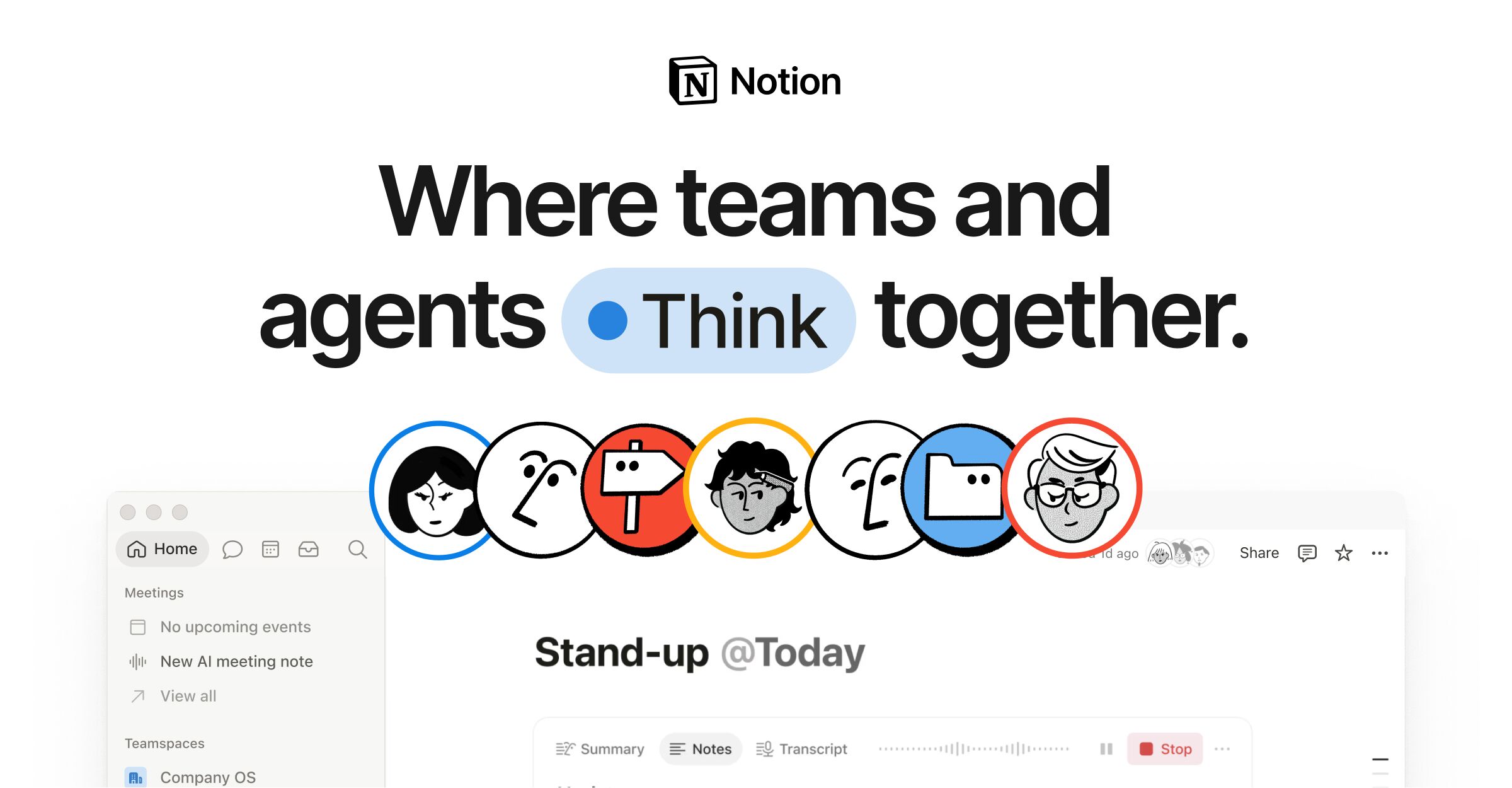
Notion's marketing homepage pairs a deep navy (#02093a) hero section with a light (#f6f5f4) body, using a custom typeface (NotionInter) across all text roles. The design employs a 12-column grid with 28px gutters, a dual-radius language (8px for cards, 9999px for pills), and a multi-layer progressive shadow system for floating UI elements. Brand blue (#2537b1) drives CTAs and accent highlights, while a semantic gray-scale ladder (gray-200 through gray-900) structures all text and surface hierarchy.

Linear's design system is a dark-first, high-density product UI built for engineering teams. The surface palette anchors on near-black (#08090a, #0f1011) with layered dark grays for sidebar, card, and panel differentiation. Typography is exclusively Inter Variable with precise negative letter-spacing at display sizes and Berkeley Mono for inline code. The radius language is deliberately small (2–6px dominant) with pill shapes reserved for badges and status chips. Elevation is expressed through subtle 1px inset borders and low-opacity drop shadows rather than dramatic layering. The primary CTA color is Linear's signature indigo (#5e6ad2), used on the Sign Up button and key links.

Shopify's marketing homepage uses a dramatic full-bleed video hero with a near-black (#02090a) background that contrasts sharply with the white navigation bar above. The primary brand accent is a vivid mint green (#36f4a4) used sparingly for highlights and interactive states. Typography is split between NeueHaasGrotesk for display/editorial headings and Inter-Variable for UI body copy. CTAs use fully-rounded pill shapes (border-radius: 9999px). The overall system is confident, high-contrast, and aspirational — built to convert visitors into merchants.
WIRED's design system is a high-contrast, editorially-driven monochrome framework built around a proprietary type system (Breve Text, WIRED Mono, WiredDisplay, Apercu) and a near-zero chromatic palette. Black (#000000) dominates at 2961 hits, anchoring text, borders, icons, and interactive states. White (#ffffff) provides the primary surface. Accent color is used sparingly — only #057dbc appears as a brand blue for subscribe CTAs. The layout uses a structured multi-column story grid with tight 8px base spacing, flat surfaces with no box shadows, and minimal border-radius (4px standard). Typography is the primary differentiator: editorial body uses Breve Text at 19px, section labels use WIRED Mono in uppercase with tracked letterspacing, and display headlines use WiredDisplay. The overall aesthetic is authoritative, information-dense, and read-flow-first.
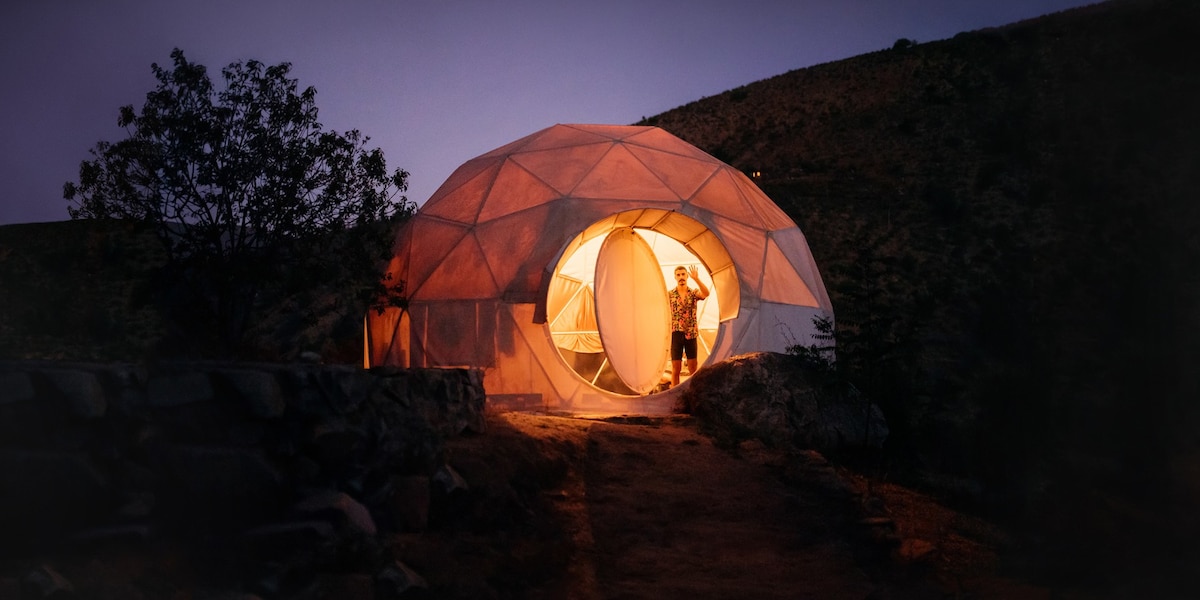
Airbnb's design system is built around a single proprietary variable font (Airbnb Cereal VF), a near-monochrome neutral palette anchored by deep charcoal (#222222) and light grays, with the brand's signature "Rausch" coral-pink (#ff385c) reserved exclusively for primary CTAs and the logo. The layout is a responsive photo-card grid with generous image-to-text ratios, soft 20px rounded corners on cards, and a multi-layer ambient shadow system that creates subtle depth without harsh contrast. The search bar is a prominent pill-shaped container that unifies the core user action.
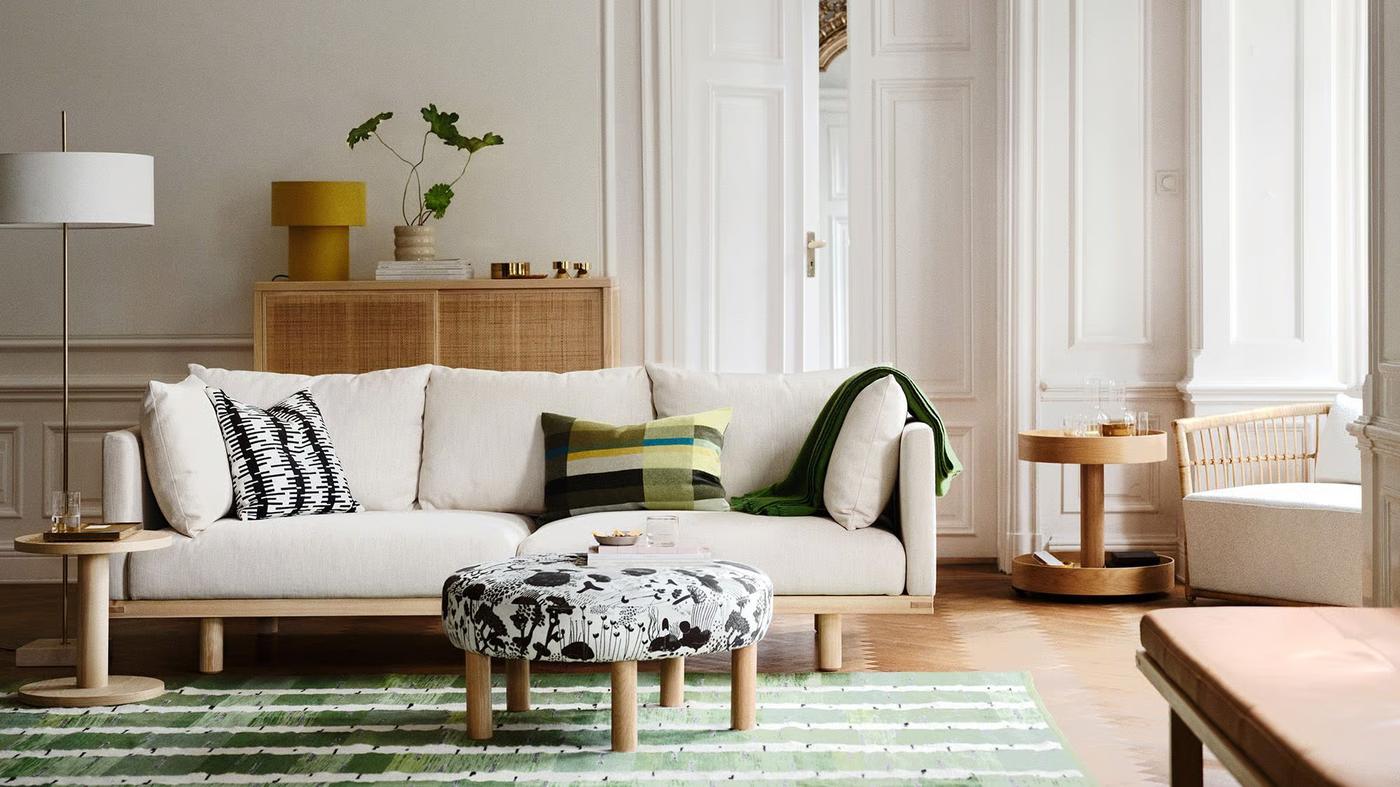
IKEA's global homepage uses a bold, flat design system anchored by the iconic IKEA Yellow (#ffdb00) as the primary action surface and IKEA Blue (#0058a3) as the brand logo accent. The entire typographic system is built on a single custom typeface — Noto IKEA — spanning weights 400 and 700 across a tightly defined scale from 14px body text to 51px display headings. Elevation is conveyed entirely through color contrast and layout structure rather than shadows. The layout uses a max-width container of 90rem with a 1.5rem desktop grid gap, and a consistent 8px border-radius token applied to interactive elements. The off-white background (#fffefb) provides warmth against the stark #111111 text, creating a high-contrast, accessible reading experience.