100% 일치
ghost · desktop
추출 신뢰도
PayPal의 네덜란드어 홈페이지는 선명한 하늘색(#60cdff) 히어로 섹션과 극도로 굵은 검은색 디스플레이 타이포그래피(PayPal Pro w900)를 중심으로 한 대담하고 소비자 지향적인 디자인을 보여 줍니다. 내비게이션은 흰색 바탕에 검은색 텍스트를 사용하며, 테두리만 있는 "Inloggen" 버튼과 채워진 검은색 "Rekening openen" 버튼이라는 뚜렷이 구분되는 두 가지 CTA 버튼을 갖추고 있습니다. 페이지 상단에는 짙은 네이비색 공지 배너가 자리합니다. 전체적으로 고대비, 둥근 알약형 모서리, 브랜드 서체 중심의 표현을 사용하여 폭넓은 소비자 금융 이용자층에게 신뢰감과 접근성을 전달합니다.
ghost · desktop
primary · desktop
primary · desktop
호버 시, 사이트와의 렌더링 일치도가 83%로, 기준치 97%에 못 미쳐요.
기본 상태100% 일치측정값 21개 일치
호버83% 일치측정값 18개 일치
포커스100% 일치측정값 18개 일치
secondary · desktop
secondary · desktop
호버 시, 사이트와의 렌더링 일치도가 88%로, 기준치 97%에 못 미쳐요.
기본 상태100% 일치측정값 21개 일치
호버88% 일치측정값 18개 일치
포커스100% 일치측정값 18개 일치
desktop
기본 상태100% 일치측정값 85개 일치
desktop
기본 상태100% 일치측정값 85개 일치
desktop
PayPal
PayPal's German consumer site reads as confident, friendly fintech. The canvas is calm and high-contrast: white and a warm off-white carry most pages, black ink carries nearly all text, and brand color appears in deliberate full-bleed blocks. Those blocks are a deep navy business band and a bright sky field behind the hero, not sprinkled accents. Lifestyle photography in large rounded containers adds warmth. The copy is short and reassuring, aimed at everyday shoppers with a parallel business audience.
Hierarchy comes almost entirely from type scale. Display headlines are set in PayPal Pro at weight 900 with tight tracking, on a ladder that runs from title-lg (25.8751px) up to hero-display (180.911px). Below them, body and UI text drops sharply to PayPal Pro Text VF at 14–21px. Little sits in between, so the jump from headline to subcopy is the main signal of importance. Sections stack as centered, single-column hero blocks: an optional toggle or eyebrow, a giant headline, a line of subcopy, a pair of pill CTAs, then a wide image or card.
Density is low. Each block gets generous vertical air, and controls are uniform 48px pills. Elevation is used sparingly and softly. Most separation comes from color-block changes, and diffuse shadows are reserved for floating layers such as the cookie banner, phone-style cards and bottom sheets.
Key Characteristics:
title-lg to hero-display.ink, #000000) on Canvas (canvas, #FFFFFF) and Parchment (surface-warm, #F1EFEA).primary, #002991) with Sky Cyan (accent-on-dark, #60CDFF) as its accent.rounded.lg (24px) cards and larger radii up to rounded.3xl on media.button-primary #FFFFFFB3, button-secondary-2 #05378214) rather than loud brand-colored buttons.The palette is mostly monochrome, with two brand blues used as fields and a family of interactive blues kept for links and focus. No gradients were observed; every surface is a flat fill.
primary, #002991): the brand anchor. Use it as a full-bleed surface for business and feature bands, with white text (on-primary) on top. Never use it for small text or borders.accent-on-dark, #60CDFF): the accent on navy fields, for highlighted words and secondary headings. It also appears as a bright color-block surface behind the hero, where black ink sits on it.primary-bright, #0070E0): an interactive blue seen on text. Reserve it for inline interactive emphasis, not for surfaces.link, #0066F5): the link text color. It is also the focus outline on the link-style CTAs: button-primary-2 (flagged: render matched 83% of original pixels on hover) and button-secondary-2 (flagged: render matched 88% on hover).link-default, #0000EE): the user-agent default link color. It surfaced in text on four pages, which most likely means unstyled links. Do not design with it intentionally; use link instead.canvas, #FFFFFF): the default page and card background, and the header bar.surface-warm, #F1EFEA): a warm off-white for alternating sections and soft content panels. It sits on all five captured pages.on-primary, #FFFFFF): text and icons placed on navy or other dark fields.ink, #000000): headlines, body and button labels. Pure black is the default; do not soften it to grey for body copy.muted, #686A6D): secondary text and the button-ghost label (#686A6D). Use it for supporting UI, not paragraphs.hairline, #CFD3D8): the 2px outline on button-primary and button-secondary, and the thin divider under the header.These colors were measured on components, not in page sampling.
focus-ring, #097FF5): the 2px focus outline on button-primary, button-secondary and button-ghost, paired with a #FFFFFF 2px halo.surface-dark, #333333): the hover fill of the black button-primary-2 (flagged: render matched 83% of original pixels on hover).Translucent fills also live only in recipes:
| Fill | Used on |
|---|---|
| #FFFFFFB3 | button-primary and button-secondary |
| #F0F2F9 | hover on button-primary and button-secondary |
| #F5F7FB | button-ghost hover |
| #05378214 | tab track and button-secondary-2 |
| #05378227 | button-secondary-2 hover |
| #FFFFFF3D | toggle track |
| #000000A1 | inactive label in toggle (toggle-text-2) and tab (tab-text) |
title-lg to hero-display.button-ghost label, and the tab and toggle labels. It is by far the most-used family on all five pages.button-primary and button-secondary labels: 14px, weight 500, 18px line height, −0.28px tracking. Its fallback stack is "Helvetica Neue", Arial, sans-serif.The PayPal Pro Text VF fallback stack is Helvetica, Arial, sans-serif.
| Token | Size | Weight | Line Height | Letter Spacing | Use |
|---|---|---|---|---|---|
hero-display | 180.911px | 900 | 1 | -5.42734px | One-off giant hero words or statements |
display-2xl | 148.089px | 900 | 1 | -4.44266px | Section-opening statement headlines |
display-xl | 99.447px | 900 | 1.1 | -2.98341px | Large feature headlines |
display-lg | 81.5px | 900 | 1.1 | -2.445px | Page h1 / hero headline |
display-md | 67.1072px | 900 | 1.1 | -2.01322px | Major h2 section headlines |
headline-lg | 55.3392px | 900 | 1.1 | -1.66018px | Standard h2/h3 section heads |
headline-md | 45.4643px | 900 | 1.1 | -1.36393px | Sub-section and card-group heads |
title-lg | 25.8751px | 900 | 1.2 | -0.517501px | Card titles, small heads |
Body text has no published token, but it was measured in PayPal Pro Text VF:
| Role | Size | Weight | Line Height | Letter Spacing |
|---|---|---|---|---|
| Paragraph | 17.8572px | 400 | 1.5 | -0.267857px |
| Bold inline and links | 17.8572px | 700 | 1.5 | -0.267857px |
| Lead paragraph | 21.5178px | 400 | 1.5 | -0.322768px |
| CTA label | 16px | 700 | 1.5 | -0.24px |
| Small | 14px | 400 / 700 | 1.5 | -0.21px |
Control label (tab, toggle) | 12px | 700 | 16px | -0.18px |
button-primary and button-secondary; do not spread 500 elsewhere.title-lg at −2%, and body at about −1.5%. Scale letter-spacing with size rather than using a fixed value.title-lg at 1.2, and body at 1.5. Headlines are meant to stack as tight blocks.title-lg or a 700-weight body line.PayPal Pro and PayPal Pro Text are proprietary.
No base step and no page-level section rhythm were verified. The only measured spacing tokens come from the verified buttons.
| Token | Value | Measured on |
|---|---|---|
button-primary-padding-y | 10px | button-primary, vertical padding of the root |
button-primary-padding-x | 30px | button-primary, horizontal padding of the root |
button-secondary-padding-y | 10px | button-secondary, vertical padding of the root |
button-secondary-padding-x | 30px | button-secondary, horizontal padding of the root |
button-ghost-padding-y | 12px | button-ghost, vertical padding of the root |
button-ghost-padding-x | 12px | button-ghost, horizontal padding of the root |
Pill buttons are wide and short. Horizontal padding (button-primary-padding-x, 30px) is triple the vertical (button-primary-padding-y, 10px), which gives the capsule its stretched look. Ghost buttons are square-padded on all sides (button-ghost-padding-x / button-ghost-padding-y, 12px) around an icon and label.
No container max width or grid gap was verified as a token.
The screenshots show these patterns:
Whitespace is the separator. Sections are divided by generous vertical air and by a change of surface color (canvas → surface-warm → primary), not by rules or boxes.
Within a block, elements sit close together: headline, subcopy and CTAs read as one unit. That unit is then surrounded by a lot of empty space. Keep text columns narrow, even on wide screens, so the oversized headlines wrap into dense, poster-like stacks.
Every spacing token restates a measurement of a verified component recipe, or the step those measurements share.
button-primary-padding-y: 10px (button-primary, vertical padding of the root)button-primary-padding-x: 30px (button-primary, horizontal padding of the root)button-secondary-padding-y: 10px (button-secondary, vertical padding of the root)button-secondary-padding-x: 30px (button-secondary, horizontal padding of the root)button-ghost-padding-y: 12px (button-ghost, vertical padding of the root)button-ghost-padding-x: 12px (button-ghost, horizontal padding of the root)| Level | Treatment | Use |
|---|---|---|
| Flat | No shadow; separation by surface color (canvas, surface-warm, primary) | Page sections, hero fields, navy bands |
| Hairline | 2px solid #CFD3D8 border (hairline) | Outline on button-primary and button-secondary; thin header divider |
| Ambient lift | rgba(0, 0, 0, 0.01) 0px 0px 17px 0px, rgba(0, 0, 0, 0.01) 0px 0px 15px 0px, rgba(0, 0, 0, 0.02) 0px 0px 13px 0px, rgba(0, 0, 0, 0.03) 0px -10px 10px 0px, rgba(0, 0, 0, 0.04) 0px 0px 5px 0px | Barely-there halo on floating layers, e.g. the cookie banner and bottom sheet (biased upward by the −10px layer) |
| Floating card | rgba(0, 0, 0, 0.14) 4px 4px 28px 6px | White phone-style cards and overlays that sit over imagery |
| Deep drop | rgba(0, 0, 0, 0.08) 0px 24px 48px 0px | A single large, soft drop under a raised media or card element (one page) |
| Shape mask | rgb(255, 255, 255) 0px -28.5714px 0px 28.5714px and rgb(255, 255, 255) 0px 28.5714px 0px 28.5714px | Solid white spread shadows used as a masking trick to carve inverted corners, not to create depth |
| Focus | box-shadow #FFFFFF 0px 0px 0px 2px plus outline 2px solid #097FF5, offset 2px | Keyboard focus on button-primary, button-secondary and button-ghost |
| Focus (link CTAs) | outline 2px solid #0066F5, offset 2px | button-primary-2 (flagged: render matched 83% of original pixels on hover) and button-secondary-2 (flagged: render matched 88% on hover) |
No backdrop blur was measured anywhere.
Shadow philosophy. Depth exists but is whispered. Shadows have very low alpha (0.01–0.14), large blur radii and almost no offset, so floating layers feel lifted off the page rather than cast onto it. They belong only to things that genuinely float: banners, sheets and cards over imagery. Everything in normal flow relies on color-block contrast and the hairline outline. The one crisp ring in the system is the focus halo; never weaken it.
| Token | Value | Use |
|---|---|---|
rounded.xs | 8px | Small chips, thumbnails, minor UI |
rounded.sm | 12px | Compact panels (rare, one page) |
rounded.md | 16px | Banners such as the cookie notice, inner cards |
rounded.lg | 24px | Standard content cards and hero imagery; the workhorse container radius |
rounded.xl | 29.9952px | Large phone-style card corners (one-off) |
rounded.2xl | 68.5714px | Oversized media container (one-off) |
rounded.3xl | 96px | Segmented tracks: toggle and tab (96px) |
rounded.full | 9999px | Pills and circles, the most frequent radius on the site |
The geometry is soft and pill-dominant.
button-primary, button-secondary, button-primary-2 (flagged: render matched 83% on hover) and button-secondary-2 (flagged: render matched 88% on hover) all measure 1000px. Treat that as equivalent to rounded.full.toggle and the tab control are 96px-radius pill tracks with 2px inner padding.rounded.md and rounded.lg to dramatic radii on large media. The big radii echo the rounded geometric letterforms and the PayPal P mark.Each component below was distilled from the live page: the recipe is a standalone, placeholder-filled reproduction with literal values, and every frontmatter key named in the anatomy carries the same measurements. A verified component reproduced the original in every check; a flagged one is shipped with the reason it did not; one marked not verifiable could not be compared with the original, which says nothing about the recipe.
Button, primary
Verification: verified against the live page at desktop.
Anatomy
button-primary: the component root, a <button> (.c-button-primary), 11-character labelRecipe
<div class="c-button-primary-scope">
  <button class="c-button-primary" type="button">lorem ipsum</button>
</div>
.c-button-primary-scope {
  background-color: #F0F2F9;
  color: #000000;
  font-family: "PayPal Pro Text VF", Helvetica, Arial, sans-serif;
  font-size: 16px;
  font-weight: 400;
  line-height: 18.4px;
}

.c-button-primary {
  display: inline-flex;
  justify-content: center;
  align-items: center;
  border-spacing: 0px;
  box-sizing: border-box;
  min-width: 96px;
  min-height: 48px;
  padding: 10px 30px;
  position: relative;
  background-color: #FFFFFFB3;
  color: #000000;
  border: 2px solid #CFD3D8;
  border-radius: 1000px;
  cursor: pointer;
  font-family: PayPalOpen-Medium, "Helvetica Neue", Arial, sans-serif;
  font-size: 14px;
  font-weight: 500;
  line-height: 18px;
  letter-spacing: -0.28px;
  text-transform: none;
  text-align: center;
  appearance: button;
  transition-duration: 0.2s, 0.2s, 0.2s;
  transition-timing-function: ease, ease, ease;
  transition-property: color, background-color, border-color;
}

.c-button-primary:hover {
  background-color: #F0F2F9;
}

.c-button-primary:focus {
  box-shadow: #FFFFFF 0px 0px 0px 2px;
  outline: 2px solid #097FF5;
  outline-offset: 2px;
}
States
button-primary-hover): background-color #F0F2F9Button, secondary
Verification: verified against the live page at desktop.
Anatomy
button-secondary: the component root, a <button> (.c-button-secondary), 8-character labelRecipe
<div class="c-button-secondary-scope">
  <button class="c-button-secondary" type="button">lorem ip</button>
</div>
.c-button-secondary-scope {
  background-color: #F0F2F9;
  color: #000000;
  font-family: "PayPal Pro Text VF", Helvetica, Arial, sans-serif;
  font-size: 16px;
  font-weight: 400;
  line-height: 18.4px;
}

.c-button-secondary {
  display: inline-flex;
  justify-content: center;
  align-items: center;
  border-spacing: 0px;
  box-sizing: border-box;
  min-width: 96px;
  min-height: 48px;
  padding: 10px 30px;
  position: relative;
  background-color: #FFFFFFB3;
  color: #000000;
  border: 2px solid #CFD3D8;
  border-radius: 1000px;
  cursor: pointer;
  font-family: PayPalOpen-Medium, "Helvetica Neue", Arial, sans-serif;
  font-size: 14px;
  font-weight: 500;
  line-height: 18px;
  letter-spacing: -0.28px;
  text-transform: none;
  text-align: center;
  appearance: button;
  transition-duration: 0.2s, 0.2s, 0.2s;
  transition-timing-function: ease, ease, ease;
  transition-property: color, background-color, border-color;
}

.c-button-secondary:hover {
  background-color: #F0F2F9;
}

.c-button-secondary:focus {
  box-shadow: #FFFFFF 0px 0px 0px 2px;
  outline: 2px solid #097FF5;
  outline-offset: 2px;
}
States
button-secondary-hover): background-color #F0F2F9Button, ghost
Verification: verified against the live page at desktop.
Anatomy
button-ghost: the component root, a <button> (.c-button-ghost)button-ghost-group: inner group (.c-button-ghost__group)button-ghost-icon: icon placeholder, 24px (.c-button-ghost__icon)button-ghost-label: label text, 5 characters (.c-button-ghost__label)Recipe
<div class="c-button-ghost-scope">
  <button class="c-button-ghost" type="button">
    <span class="c-button-ghost__group">
      <span class="c-button-ghost__icon" aria-hidden="true"></span>
    </span>
    <span class="c-button-ghost__label">lorem</span>
  </button>
</div>
.c-button-ghost-scope {
  background-color: #F0F2F9;
  color: #000000;
  font-family: "PayPal Pro Text VF", Helvetica, Arial, sans-serif;
  font-size: 16px;
  font-weight: 400;
  line-height: 18.4px;
}

.c-button-ghost {
  display: inline-flex;
  justify-content: center;
  align-items: center;
  border-spacing: 0px;
  box-sizing: border-box;
  width: 48px;
  height: 48px;
  padding: 12px;
  position: relative;
  background-color: transparent;
  color: #686A6D;
  border: 0;
  border-radius: 50%;
  cursor: pointer;
  font-family: "PayPal Pro Text VF", Helvetica, Arial, sans-serif;
  font-size: 16px;
  font-weight: 400;
  line-height: 18.4px;
  letter-spacing: normal;
  text-transform: none;
  text-align: center;
  appearance: button;
}

.c-button-ghost__group {
  display: block;
  box-sizing: border-box;
  width: 24px;
  height: 24px;
  aspect-ratio: 1 / 1;
}

.c-button-ghost__icon {
  display: block;
  flex-shrink: 0;
  box-sizing: border-box;
  width: 24px;
  height: 24px;
  overflow-x: hidden;
  overflow-y: hidden;
  background-color: currentcolor;
}

.c-button-ghost__label {
  display: block;
  box-sizing: border-box;
  width: 1px;
  height: 1px;
  position: absolute;
  overflow-x: hidden;
  overflow-y: hidden;
}

.c-button-ghost:hover {
  background-color: #F5F7FB;
}

.c-button-ghost:focus {
  box-shadow: #FFFFFF 0px 0px 0px 2px;
  outline: 2px solid #097FF5;
  outline-offset: 2px;
}
States
button-ghost-hover): background-color #F5F7FBButton, primary (2)
Verification: flagged, the render matched 83% of the original pixels, below the 97% required on hover after 2 correction attempts.
Anatomy
button-primary-2: the component root, a <a> (.c-button-primary-2), 12-character labelRecipe
<div class="c-button-primary-2-scope">
  <a class="c-button-primary-2" href="#">lorem ipsum</a>
</div>
.c-button-primary-2-scope {
  background-color: #FFFFFF;
  color: #000000;
  font-family: "PayPal Pro Text VF", Helvetica, Arial, sans-serif;
  font-size: 16px;
  font-weight: 400;
  line-height: 18.4px;
}

.c-button-primary-2 {
  display: inline-block;
  justify-content: center;
  align-items: center;
  border-spacing: 0px;
  box-sizing: border-box;
  height: fit-content;
  padding: 12px 20px;
  position: relative;
  background-color: #000000;
  color: #FFFFFF;
  border-radius: 1000px;
  cursor: pointer;
  font-family: "PayPal Pro Text VF", Helvetica, Arial, sans-serif;
  font-size: 16px;
  font-weight: 700;
  line-height: 24px;
  letter-spacing: -0.24px;
  text-decoration-line: none;
  text-align: center;
  transition-duration: 0.3s;
  transition-timing-function: cubic-bezier(0.4, 1.2, 0.2, 1);
  transition-property: padding, margin, width, height;
}

.c-button-primary-2:hover {
  padding: 14px 22px;
  margin: -2px;
  background-color: #333333;
}

.c-button-primary-2:focus {
  outline: 2px solid #0066F5;
  outline-offset: 2px;
}
States
button-primary-2-hover): padding 14px 22px, margin -2px, background-color #333333Button, secondary (2)
Verification: flagged, the render matched 88% of the original pixels, below the 97% required on hover after 2 correction attempts.
Anatomy
button-secondary-2: the component root, a <a> (.c-button-secondary-2), 17-character labelRecipe
<div class="c-button-secondary-2-scope">
  <a class="c-button-secondary-2" href="#">lorem ipsum dolor</a>
</div>
.c-button-secondary-2-scope {
  background-color: #FFFFFF;
  color: #000000;
  font-family: "PayPal Pro Text VF", Helvetica, Arial, sans-serif;
  font-size: 16px;
  font-weight: 400;
  line-height: 18.4px;
}

.c-button-secondary-2 {
  display: inline-block;
  justify-content: center;
  align-items: center;
  border-spacing: 0px;
  box-sizing: border-box;
  height: fit-content;
  padding: 12px 20px;
  position: relative;
  background-color: #05378214;
  color: #000000;
  border-radius: 1000px;
  box-shadow: transparent 0px 0px 0px 1px inset;
  cursor: pointer;
  font-family: "PayPal Pro Text VF", Helvetica, Arial, sans-serif;
  font-size: 16px;
  font-weight: 700;
  line-height: 24px;
  letter-spacing: -0.24px;
  text-decoration-line: none;
  text-align: center;
  transition-duration: 0.3s;
  transition-timing-function: cubic-bezier(0.4, 1.2, 0.2, 1);
  transition-property: padding, margin, width, height;
}

.c-button-secondary-2:hover {
  padding: 14px 22px;
  margin: -2px;
  background-color: #05378227;
  box-shadow: none;
}

.c-button-secondary-2:focus {
  outline: 2px solid #0066F5;
  outline-offset: 2px;
}
States
button-secondary-2-hover): padding 14px 22px, margin -2px, background-color #05378227, box-shadow noneVerification: verified against the live page at desktop.
Anatomy
toggle: the component root, a <nav> (.c-toggle)toggle-list: inner flex row (.c-toggle__list)toggle-link-active: link (.c-toggle__link-active)toggle-text: label text, 6 characters (.c-toggle__text)toggle-link: link (.c-toggle__link)toggle-text-2: label text, 12 characters (.c-toggle__text-2)Recipe
<div class="c-toggle-scope">
  <nav class="c-toggle">
    <ul class="c-toggle__list">
      <a class="c-toggle__link-active" href="#">
        <span class="c-toggle__text">lorem</span>
      </a>
      <a class="c-toggle__link" href="#">
        <span class="c-toggle__text-2">lorem ipsum</span>
      </a>
    </ul>
  </nav>
</div>
.c-toggle-scope {
  background-color: #60CDFF;
  color: #000000;
  font-family: "PayPal Pro Text VF", Helvetica, Arial, sans-serif;
  font-size: 16px;
  font-weight: 400;
  line-height: 18.4px;
}

.c-toggle {
  display: flex;
  gap: 8px;
  border-spacing: 0px;
  box-sizing: border-box;
  width: fit-content;
  padding: 2px;
  background-color: #FFFFFF3D;
  color: #000000;
  border-radius: 96px;
  font-family: "PayPal Pro Text VF", Helvetica, Arial, sans-serif;
  font-size: 16px;
  font-weight: 400;
  line-height: 18.4px;
}

.c-toggle__list {
  display: flex;
  gap: 2px;
  box-sizing: border-box;
  width: fit-content;
  padding: 0px;
  margin: 0px;
  list-style-type: none;
}

.c-toggle__link-active {
  display: flex;
  align-self: center;
  box-sizing: border-box;
  padding: 10px 16px;
  position: relative;
  z-index: 0;
  color: #000000;
  cursor: pointer;
  line-height: 22.4px;
  text-decoration-line: none;
  text-align: center;
  white-space: nowrap;
}

.c-toggle__link-active::before {
  content: "";
  display: block;
  box-sizing: border-box;
  width: 66px;
  height: 36px;
  position: absolute;
  top: 0px;
  right: 0px;
  bottom: 0px;
  left: 0px;
  z-index: -1;
  background-color: #FFFFFF;
  border-radius: 88px;
  transition: all 0.3s cubic-bezier(0.22, 1, 0.36, 1);
}

.c-toggle__text {
  display: block;
  box-sizing: border-box;
  max-width: 623.7px;
  font-size: 12px;
  font-weight: 700;
  line-height: 16px;
  letter-spacing: -0.18px;
}

.c-toggle__link {
  display: flex;
  align-self: center;
  box-sizing: border-box;
  padding: 10px 16px;
  position: relative;
  z-index: 0;
  color: #000000;
  cursor: pointer;
  line-height: 22.4px;
  text-decoration-line: none;
  text-align: center;
  white-space: nowrap;
}

.c-toggle__link::before {
  content: "";
  display: block;
  box-sizing: border-box;
  width: 97px;
  height: 28px;
  position: absolute;
  top: 4px;
  right: 4px;
  bottom: 4px;
  left: 4px;
  z-index: -1;
  border-radius: 88px;
  transition: all 0.3s cubic-bezier(0.22, 1, 0.36, 1);
}

.c-toggle__text-2 {
  display: block;
  box-sizing: border-box;
  max-width: 623.7px;
  color: #000000A1;
  font-size: 12px;
  font-weight: 700;
  line-height: 16px;
  letter-spacing: -0.18px;
}
States
Verification: verified against the live page at desktop.
Anatomy
tab: the component root, a <nav> (.c-tab)tab-list: inner flex row (.c-tab__list)tab-link: link (.c-tab__link)tab-text: label text, 6 characters (.c-tab__text)tab-link-active: link (.c-tab__link-active)tab-text-2: label text, 12 characters (.c-tab__text-2)Recipe
<div class="c-tab-scope">
  <nav class="c-tab">
    <ul class="c-tab__list">
      <a class="c-tab__link" href="#">
        <span class="c-tab__text">lorem</span>
      </a>
      <a class="c-tab__link-active" href="#">
        <span class="c-tab__text-2">lorem ipsum</span>
      </a>
    </ul>
  </nav>
</div>
.c-tab-scope {
  background-color: #FFFFFF;
  color: #000000;
  font-family: "PayPal Pro Text VF", Helvetica, Arial, sans-serif;
  font-size: 16px;
  font-weight: 400;
  line-height: 18.4px;
}

.c-tab {
  display: inline-flex;
  gap: 8px;
  border-spacing: 0px;
  box-sizing: border-box;
  width: fit-content;
  padding: 2px;
  background-color: #05378214;
  color: #000000;
  border-radius: 96px;
  font-family: "PayPal Pro Text VF", Helvetica, Arial, sans-serif;
  font-size: 16px;
  font-weight: 400;
  line-height: 18.4px;
}

.c-tab__list {
  display: flex;
  gap: 2px;
  box-sizing: border-box;
  width: fit-content;
  padding: 0px;
  margin: 0px;
  list-style-type: none;
}

.c-tab__link {
  display: flex;
  align-self: center;
  box-sizing: border-box;
  padding: 10px 16px;
  position: relative;
  z-index: 0;
  color: #000000;
  cursor: pointer;
  line-height: 22.4px;
  text-decoration-line: none;
  text-align: center;
  white-space: nowrap;
}

.c-tab__link::before {
  content: "";
  display: block;
  box-sizing: border-box;
  width: 58px;
  height: 28px;
  position: absolute;
  top: 4px;
  right: 4px;
  bottom: 4px;
  left: 4px;
  z-index: -1;
  border-radius: 88px;
  transition: all 0.3s cubic-bezier(0.22, 1, 0.36, 1);
}

.c-tab__text {
  display: block;
  box-sizing: border-box;
  max-width: 623.7px;
  color: #000000A1;
  font-size: 12px;
  font-weight: 700;
  line-height: 16px;
  letter-spacing: -0.18px;
}

.c-tab__link-active {
  display: flex;
  align-self: center;
  box-sizing: border-box;
  padding: 10px 16px;
  position: relative;
  z-index: 0;
  color: #000000;
  cursor: pointer;
  line-height: 22.4px;
  text-decoration-line: none;
  text-align: center;
  white-space: nowrap;
}

.c-tab__link-active::before {
  content: "";
  display: block;
  box-sizing: border-box;
  width: 105px;
  height: 36px;
  position: absolute;
  top: 0px;
  right: 0px;
  bottom: 0px;
  left: 0px;
  z-index: -1;
  background-color: #FFFFFF;
  border-radius: 88px;
  transition: all 0.3s cubic-bezier(0.22, 1, 0.36, 1);
}

.c-tab__text-2 {
  display: block;
  box-sizing: border-box;
  max-width: 623.7px;
  font-size: 12px;
  font-weight: 700;
  line-height: 16px;
  letter-spacing: -0.18px;
}
States
Verification: flagged, the render matched 88% of the original pixels, below the 96% required after 2 correction attempts.
Anatomy
video-control: the component root, a <button> (.c-video-control)video-control-group: inner flex row (.c-video-control__group)video-control-group-2: inner group (.c-video-control__group-2)video-control-icon: icon placeholder, 24px (.c-video-control__icon)Recipe
<div class="c-video-control-scope">
  <button class="c-video-control" type="button">
    <span class="c-video-control__group">
      <span class="c-video-control__group-2">
        <span class="c-video-control__icon" aria-hidden="true"></span>
      </span>
    </span>
  </button>
</div>
.c-video-control-scope {
  background-color: #FFFFFF;
  color: #000000;
  font-family: "PayPal Pro Text VF", Helvetica, Arial, sans-serif;
  font-size: 16px;
  font-weight: 400;
  line-height: 8px;
}

.c-video-control {
  display: block;
  border-spacing: 0px;
  box-sizing: border-box;
  width: 40px;
  height: 40px;
  padding: 0px;
  position: absolute;
  right: 100%;
  bottom: 100%;
  background-color: transparent;
  color: #000000;
  border: 0;
  cursor: pointer;
  font-family: "PayPal Pro Text VF", Helvetica, Arial, sans-serif;
  font-size: 16px;
  font-weight: 400;
  line-height: 18.4px;
  letter-spacing: normal;
  text-transform: none;
  text-align: center;
  appearance: button;
  transition: opacity 0.6s cubic-bezier(0.22, 1, 0.36, 1);
}

.c-video-control__group {
  display: flex;
  justify-content: center;
  align-items: center;
  box-sizing: border-box;
  width: 40px;
  height: 40px;
  border: 2px solid #FFFFFF;
  border-radius: 50%;
}

.c-video-control__group-2 {
  display: block;
  box-sizing: border-box;
  width: 24px;
  height: 24px;
  aspect-ratio: 1 / 1;
}

.c-video-control__icon {
  display: block;
  flex-shrink: 0;
  box-sizing: border-box;
  width: 24px;
  height: 24px;
  overflow-x: hidden;
  overflow-y: hidden;
  background-color: currentcolor;
}

.c-video-control:focus {
  outline: none;
}
States
hero-display through title-lg), with their negative tracking intact.button-primary / button-secondary labels.button-primary, button-secondary and button-ghost. Use 1000px radius (equivalent to rounded.full) with button-primary-padding-x 30px and button-primary-padding-y 10px.button-primary and button-secondary share #FFFFFFB3 with a hairline 2px outline and #F0F2F9 on hover. The fill is a shared outline-pill style, not a primary-only signal.button-primary-2, #000000 fill, white label, #333333 hover) for the strongest CTA, knowing its hover state is flagged: render matched 83% of original pixels.canvas, surface-warm and primary, putting on-primary text and accent-on-dark highlights on navy.rgba(0, 0, 0, 0.14) 4px 4px 28px 6px or the five-layer ambient stack.focus-ring outline, offset 2px.primary (#002991) as a button fill or small text color. It is a field color.link-default (#0000EE). Use link (#0066F5).rounded.lg (24px) as the default container radius and keep squares only for full-bleed photo tiles.muted. Paragraphs stay in ink; muted is for ghost actions and supporting UI.title-lg and body. The hierarchy depends on the jump.This analysis is two-viewport only: one desktop and one mobile capture. No breakpoint values were observed, so none are given.
button-primary, button-secondary, button-ghost) are 48px tall, which meets comfortable touch sizing.toggle and tab controls are 40px tall. Keep them at least that size on mobile and don't compress the 2px inner track padding further.ink, canvas, surface-warm, primary, accent-on-dark, link, hairline and focus-ring. Translucent button fills such as #FFFFFFB3 and #05378214 belong to their component recipes (button-primary, tab, button-secondary-2); don't promote them into the page palette.button-primary, button-secondary, button-ghost, button-primary-2, button-secondary-2) rather than creating new shapes. Padding comes from the button-*-padding-x and button-*-padding-y tokens.button-primary-2 (flagged: render matched 83% on hover), button-secondary-2 (flagged: render matched 88% on hover) and video-control (flagged: render matched 88%) need visual checking before reuse.primary appears as full-bleed bands with on-primary text; accent-on-dark lives on those bands or as the bright hero field. Never put primary on buttons or body text.focus-ring (or link on link-CTAs) outline, offset 2px.body, body-lg, body-strong, title-sm, button, button-lg, nav-link, caption and caption-strong were named for "PayPal Pro Text", but the site serves "PayPal Pro Text VF". Body sizes appear only as measured evidence in the typography section, not as published tokens.button-primary-2, button-secondary-2 and video-control are flagged at 83–88% pixel match, so their exact hover visuals are unconfirmed.button-ghost carries no rounded value in its recipe; its circular or pill shape is inferred from screenshots.video-control play/pause) could not be captured.primary-bright and link both appear as text; which elements use which beyond links was not resolved.rgb(255, 255, 255) 0px ±28.5714px 0px 28.5714px) are interpreted as corner masks, and which floating layer uses which tier is inferred from screenshots.이 DESIGN.md 파일은 AI 코딩 에이전트가 읽는 언어인 영어로 되어 있어요.
PayPal 공개 웹사이트에서 추출한 것으로, 공식 브랜드 가이드라인이 아니에요. 다른 사이트의 폰트 확인하기
Stripe의 마케팅 홈페이지는 엄격하게 관리되는 디자인 시스템(HDS, Stripe Design System)을 바탕으로 합니다. 가벼운 굵기(300~400)의 가변 폰트 "sohne-var"를 사용하고, 짙은 네이비에서 인디고로 이어지는 브랜드 팔레트는 #533afd(Stripe Indigo)를 중심으로 구성되어 있습니다. 대표적인 특징은 화면 전체를 채우는 스펙트럼 그라데이션 히어로입니다. 컴포넌트는 4~6px의 낮은 모서리 반경과 평면에 가깝고 최소한의 그림자를 사용하며, 8px 기본 간격 그리드에 맞춰 구조화되어 있습니다. 전체적인 톤은 권위 있으면서도 친근합니다. 자신감 있는 타이포그래피와 절제된 색 사용을 통해 금융 인프라를 전달합니다.
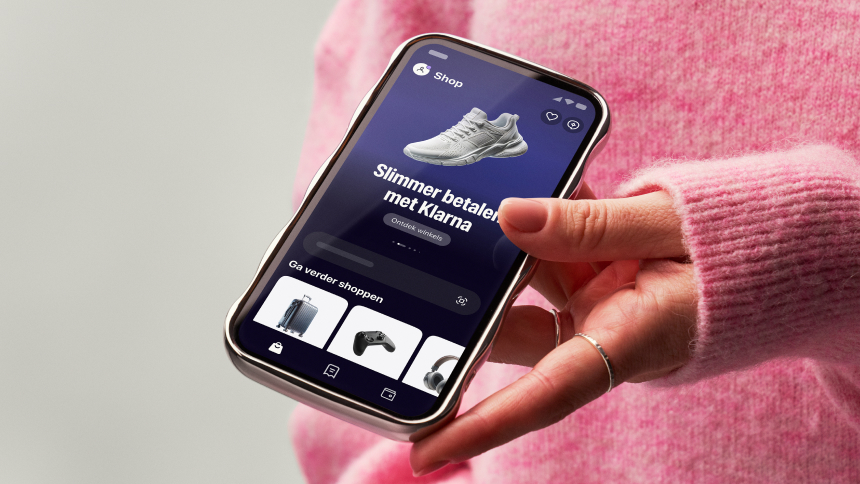
Klarna의 디자인 시스템은 세련된 짙은 네이비 기본 색상(#0b051d)을 중심으로 하며, 시그니처 핑크(#ffa8cd)를 비롯한 밝은 강조 색상을 함께 사용합니다. Klarna 전용 폰트와 시스템 폰트를 함께 사용하고, 32px을 가장 많이 쓰는 둥근 모서리를 강조하며, 접근성을 위해 높은 명암 대비를 유지합니다. 넉넉한 여백과 명확한 타이포그래피 위계를 통해 전문성과 친근함의 균형을 맞춘 디자인입니다.
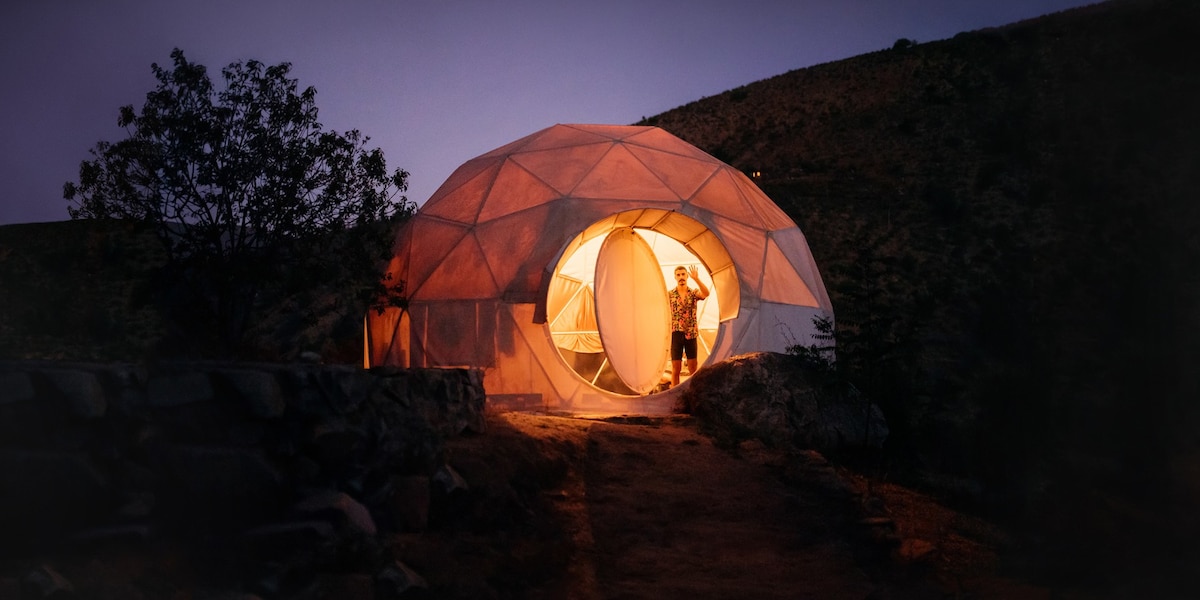
Airbnb의 디자인 시스템은 단일 독점 가변 폰트(Airbnb Cereal VF)를 중심으로 구축되어 있으며, 짙은 차콜(#222222)과 밝은 그레이를 기반으로 한 거의 무채색에 가까운 중립 팔레트를 사용합니다. 브랜드의 상징적인 "Rausch" 코랄 핑크(#ff385c)는 기본 CTA와 로고에만 제한적으로 사용됩니다. 레이아웃은 반응형 사진 카드 그리드로 이루어지며, 이미지와 텍스트의 비율을 여유 있게 가져갑니다. 카드에는 20px의 부드러운 둥근 모서리가 적용되고, 여러 겹으로 된 은은한 그림자 시스템이 강한 대비 없이 섬세한 깊이감을 만들어 냅니다. 핵심 사용자 행동을 하나로 묶는 검색창은 눈에 잘 띄는 알약 모양의 컨테이너로 구성되어 있습니다.
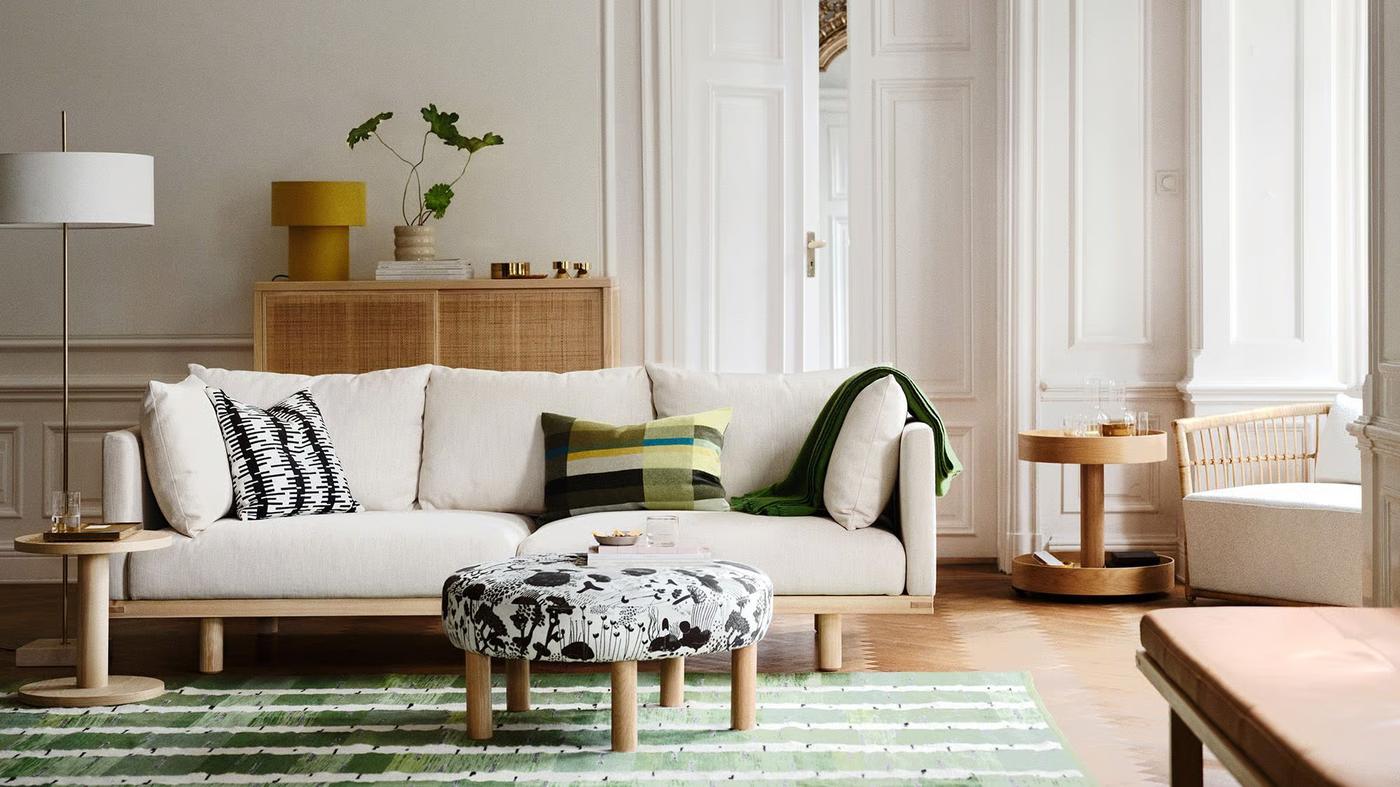
IKEA의 글로벌 홈페이지는 굵고 평평한 디자인 시스템을 바탕으로 하며, 상징적인 IKEA Yellow(#ffdb00)를 주요 액션 영역으로, IKEA Blue(#0058a3)를 브랜드 로고 강조색으로 사용합니다. 전체 타이포그래피 체계는 Noto IKEA라는 단일 커스텀 서체로 구성되며, 400과 700 두께를 사용해 본문 14px에서 디스플레이 제목 51px까지 촘촘하게 정의된 크기 체계를 따릅니다. 입체감은 그림자가 아니라 색의 대비와 레이아웃 구조를 통해 전달됩니다. 레이아웃은 최대 너비 90rem의 컨테이너와 데스크톱 기준 1.5rem의 그리드 간격을 사용하며, 상호작용 요소에는 8px 모서리 반경 토큰을 일관되게 적용합니다. 오프화이트 배경(#fffefb)은 짙은 #111111 텍스트와 어우러져 따뜻함을 더하고, 대비가 높아 읽기 쉽고 접근성이 좋은 화면을 만들어 냅니다.
Notion의 마케팅 홈페이지는 짙은 네이비(#02093a) 히어로 섹션과 밝은(#f6f5f4) 본문 영역을 결합한 구성입니다. 모든 텍스트 역할에 커스텀 서체인 NotionInter를 사용합니다. 레이아웃은 거터 28px의 12열 그리드를 기반으로 하며, 카드에는 8px, 알약형 요소에는 9999px의 이중 모서리 반경을 적용합니다. 플로팅 UI 요소에는 여러 겹으로 이루어진 점진적 그림자 시스템을 사용합니다. 브랜드 블루(#2537b1)는 CTA와 강조 요소에 쓰이며, gray-200부터 gray-900까지의 의미 기반 회색 단계가 모든 텍스트와 표면의 위계를 구성합니다.
Railway의 디자인 시스템은 짙은 네이비 계열의 거의 검은 표면(#13111c, #0b0b0f)을 기반으로 한 다크 중심의 개발자 플랫폼 UI입니다. 고대비의 오프화이트 텍스트(#f7f7f8)와 보라색 브랜드 강조색(#853bce / #553f83)이 특징적입니다. 히어로 영역에는 에디토리얼한 무게감을 주기 위해 IBM Plex Serif를 사용하고, 모든 UI 문구는 Inter가 담당하며, 코드가 표시되는 곳에는 JetBrains Mono와 SF Mono를 씁니다. 입체감은 드롭 섀도 대신 rgba(255,255,255,0.2) 1.5px inset 흰색 발광 테두리로 표현되어, UI 전체에 유리 패널 같은 분위기를 줍니다. 간격 체계는 4px 단위를 기준으로 하며, 8/12/16/24/32의 리듬이 뚜렷합니다. 모서리 반경은 대체로 4px로 작게 유지되고, 카드와 히어로 컨테이너에는 선택적으로 8px과 16px을 적용합니다.